Class 2: Single Page Applications & Components
Agenda
- Review: Last Class
- Single-Page Applications (SPAs)
- Components
- Troubleshooting
- JSX
- Summary & What's Next
Review: Websites
A website is a collection of web pages and related content.
Static Websites (INFO 1300)
A website that is delivered to the user's web browser exactly as it is stored.
Dynamic Websites (INFO 2300 & INFO 2310)
A website that is constructed at runtime (during software execution) with content that changes depending on several factors (user, time of day, etc.)
Review: MERN
- MongoDB - NoSQL database
- Express.js - back-end web framework
- React - front-end web library
- Node.js - server-side JavaScript runtime
Big Picture: MERN
Client-Side (Today)
- React
Server-Side
- Node.js
- Express.js
- MongoDB
Single-Page Applications
Single-Page Application
A single-page application (SPA) is a web app implementation that loads only a single web document (i.e. HTML), and then updates the body content of that single document via JavaScript [...]
Source: https://developer.mozilla.org/en-US/docs/Glossary/SPA
Activity: SPA Exploration
- Open today's activity repository as a Codespace.
- With your peers (2-4), explore the code in the
clientfolder. - Identify the parts of the code that make this a Single-Page Application (SPA) and then complete the handout.
Definition: A single-page application (SPA) is a web app implementation that loads only a single web document (i.e. HTML), and then updates the body content of that single document via JavaScript [...]
How it Works: Single-Page Application
- A single HTML document (
index.html) bootstraps loading the application. - The HTML document is minimal.
- No HTML content.
- May include link to CSS file(s).
- Includes a
<script>to load JavaScript code.
- JavaScript code dynamically updates the content of the page.
Demo: Client-Side Rendering
<h2>Debug Info</h2>
<p>{new Date().toLocaleString()}</p>
React
A client-side JavaScript library for building user interfaces using components.
Often used to build Single-Page Applications (SPAs).
Components
Definition: Component
A self-contained, often reusable, piece of code that describes a portion of a user interface.
Activity: Working with your peers (2-4), identify parts of your INFO 1300 project website that would be good candidates for components.
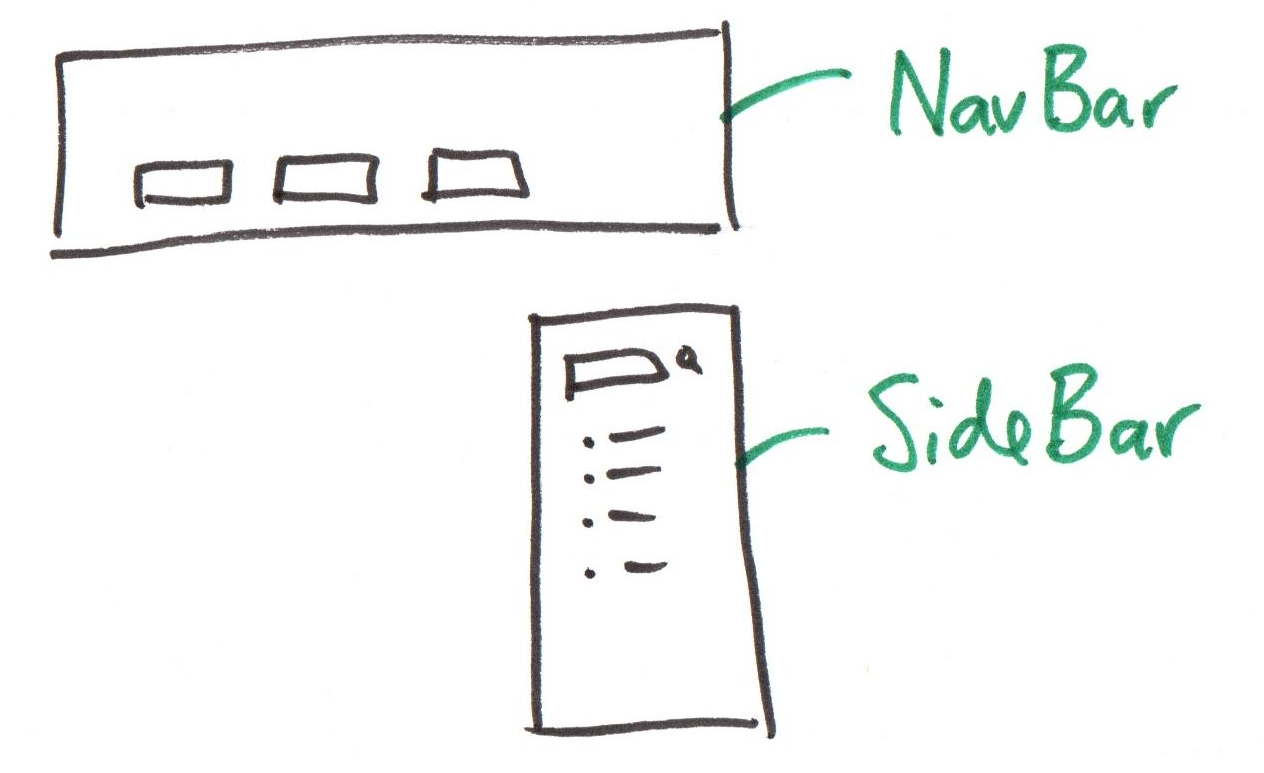
Example: Component
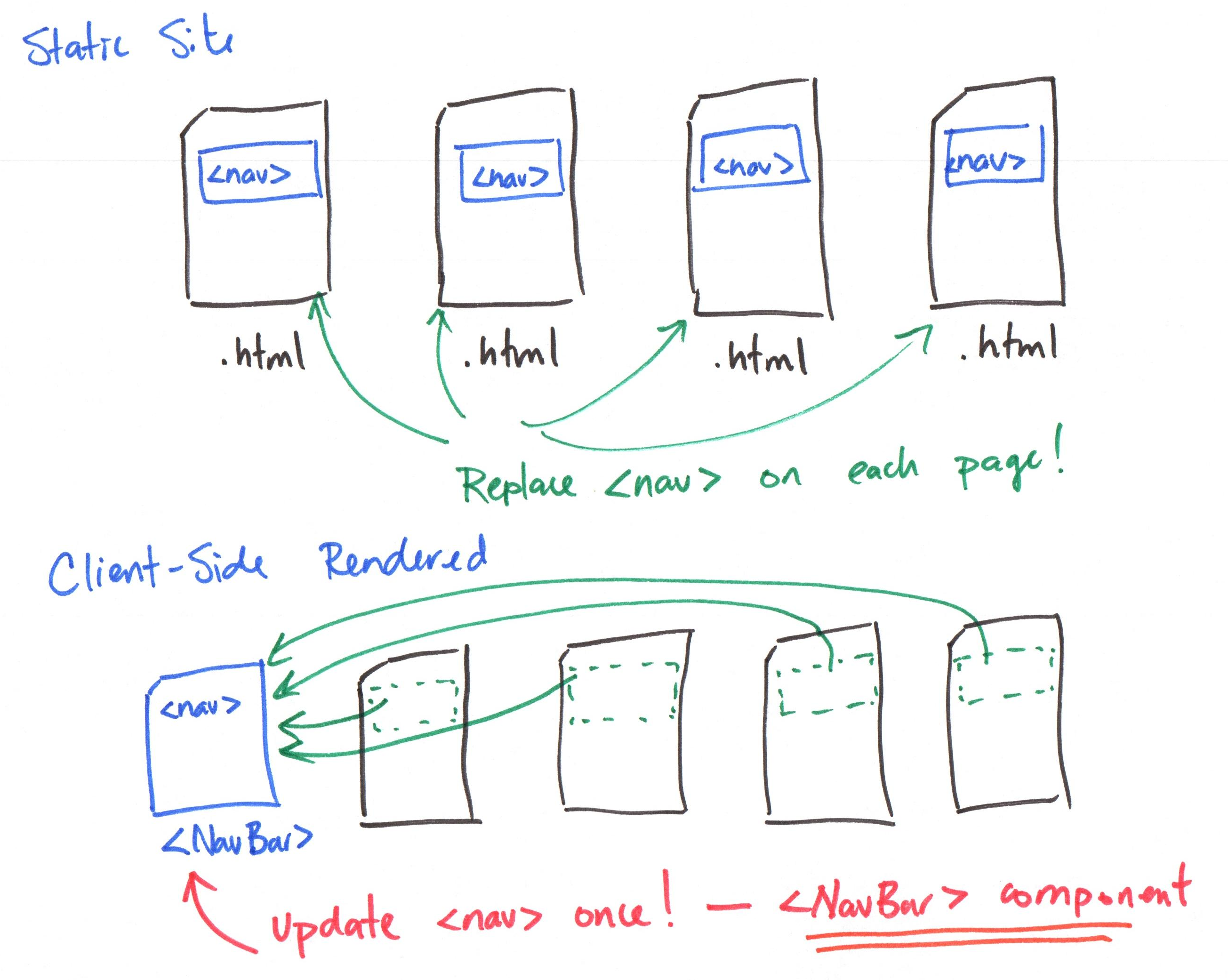
Activity: Component Practice
Working with your peers (2-4), complete the following:
- Review the existing activity repository code.
- Identify at least one component that could be created to reduce redundant code.
Creating (React) Components
-
Create a new
.jsxfile in thesrc/componentsfolder. (.e.g.ComponentName.jsx) Use CamelCase for component names. -
Add component "boilerplate" code:
export default function ComponentName() {
  return (
    <TODO_HTML_TAG>
    </TODO_HTML_TAG>
  );
}
Demo: Citation Component
Citation.jsx:
export default function Citation() {
  return (
    <p style={{ textAlign: 'center' }}>
      Source: <cite>Microsoft Copilot</cite>
    </p>
  )
}
Activity: GalleryCard Component
Working with your peers (2-4), create a GalleryCard component.
src/components/ComponentName.jsx:
export default function ComponentName() {
  return (
    <TODO_HTML_TAG>
    </TODO_HTML_TAG>
  );
}
Using (React) Components
-
Import and use the component in other parts of your application.
import ComponentName from "./ComponentName"; -
Insert the component in your "HTML" code.
<ComponentName />
Demo: Using Citation Component
GalleryCard.jsx:
import Citation from "./Citation";

export default function GalleryCard() {
  return (
    <div className="card">
      ...
      <Citation />
    </div>
  )
}
Activity: Using GalleryCard Component
Working with your peers (2-4):
- Use the
GalleryCardcomponent inApp.jsx. - Replace the rundant HTML code with multiple instances of the
GalleryCardcomponent.
import ComponentName from "./ComponentName";

<ComponentName />
Troubleshooting React SPAs
Troubleshooting Overview
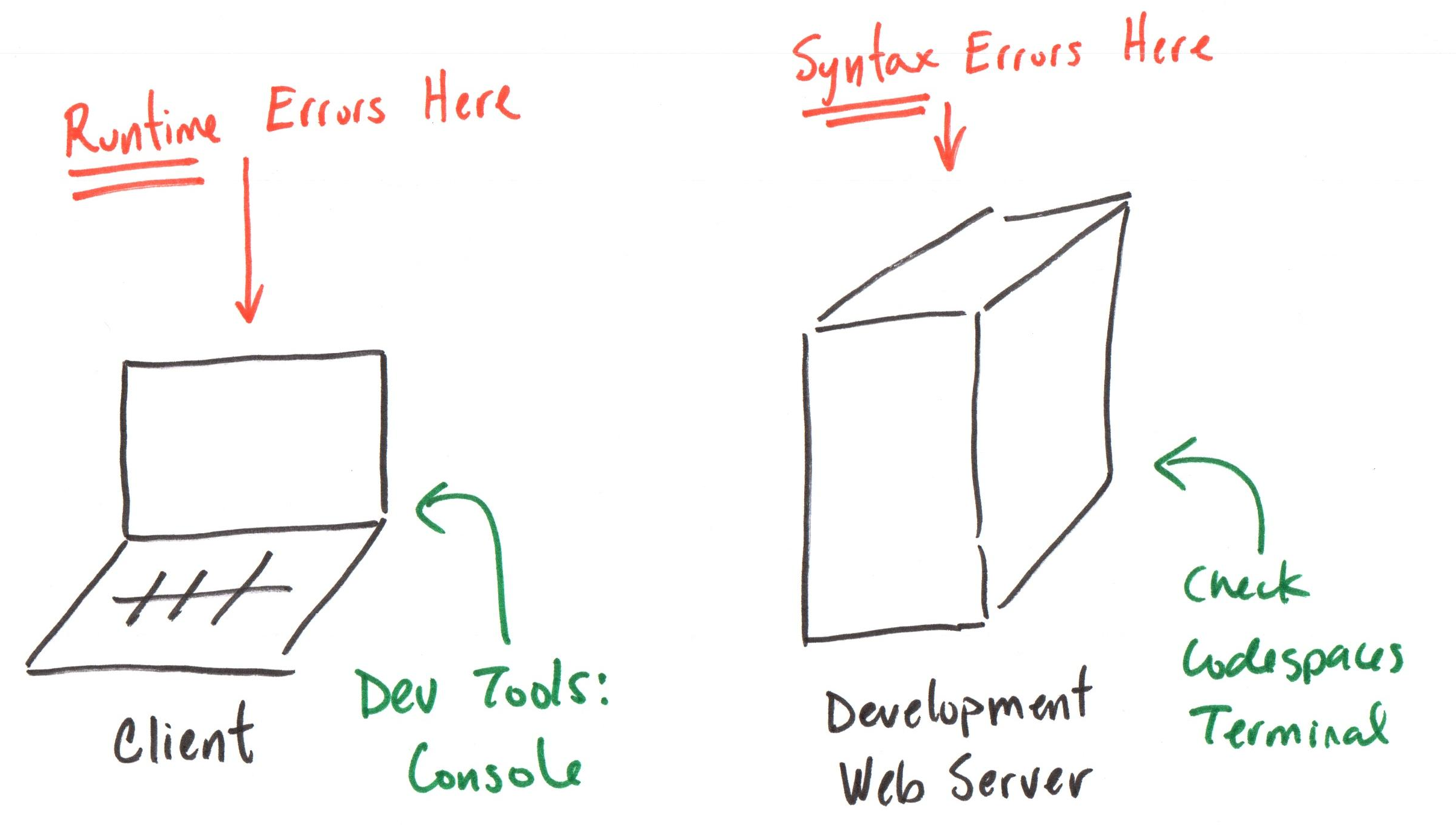
Syntax Errors
Syntax errors are shown in the Debug Console in your Codespace.
- Your component code is compiled on the server.
- The compiled JavaScript code is sent via development server to your browser.
Runtime Errors
Single Page Applications (SPAs) run in the browser.
Where should you check for errors in client-side code?
Browser DevTools Console!
All I see is a blank page!
You have an error in your code.
- Check your Codespace's Debug Console for syntax errors.
- Check your browser's DevTools Console for runtime errors.
Tip: Use GitHub Copilot to Understand Errors
- Copy the error message from your Codespace's Debug Console or your browser's DevTools Console.
- Paste the error message into the GitHub Copilot chat window.
Help me understand this error message: [PASTE ERROR MESSAGE HERE]
JSX
JSX (JavaScript XML)
An extension to JavaScript with HTML-like make-up. (Combines JavaScript + HTML)
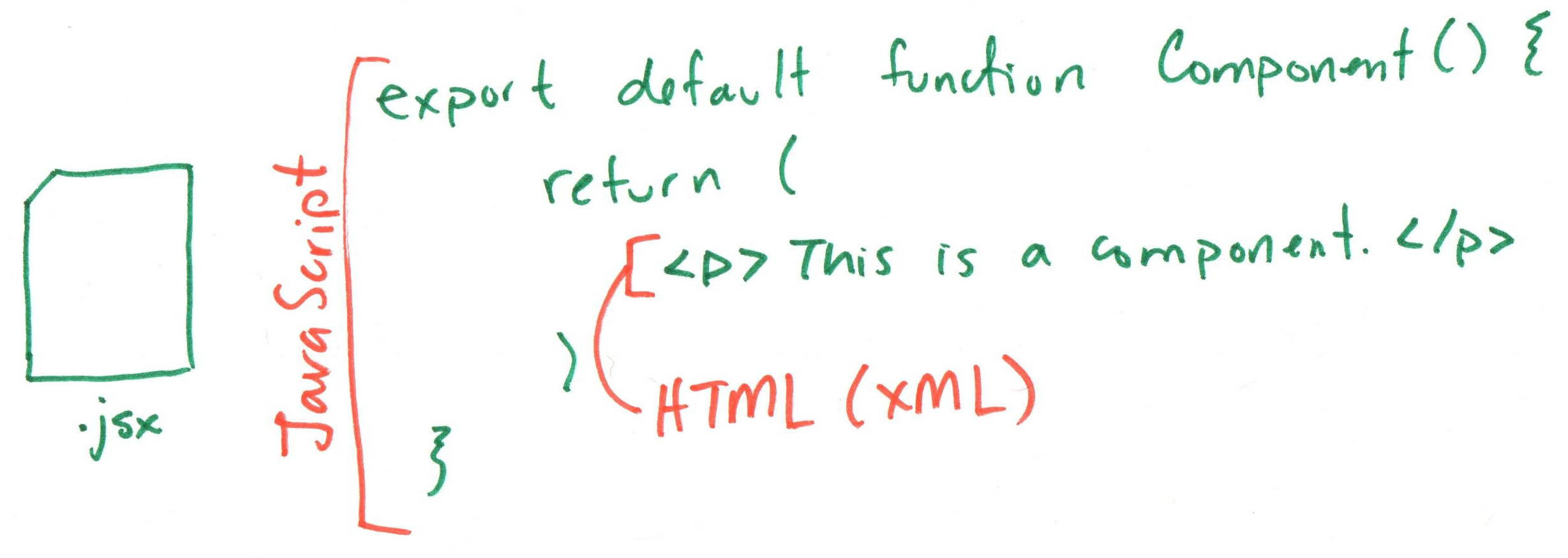
JSX Rules
- Always return a single "HTML" element.
Yes!
return (
  <div>
    <h2>Title</h2>
    <p>Paragraph</p>
  </div>
);
No!
return (
  <h2>Title</h2>
  <p>Paragraph</p>
);
JSX Rules
- If you have no container element, use a fragment.
return (
  <>
    <h2>Title</h2>
    <p>Paragraph</p>
  </>
);
JSX Rules
-
JSX is not HTML, it's XML. The rules are different!
- Always use closing tags.
- Empty elements must be self-closed.
- Use
classNameinstead ofclass
return (
  <div className="container">
    <p>This is a paragraph.</p>
    <img src="image.png" alt="An image" />
  </div>
);
JSX Rules
- JSX Components are case-sensitive and should use CamelCase (PascalCase).
Yes!
import MyComponent from "./MyComponent";
return (
  <div>
    <MyComponent />
  </div>
);
No!
import myComponent from "./MyComponent";
return (
  <div>
    <mycomponent />
  </div>
);
Summary
- Single-Page Applications (SPAs) load a single HTML document and dynamically update content with JavaScript.
- React is a JavaScript library for building user interfaces using components.
- Components are reusable pieces of code that describe a portion of a user interface.
- JSX is a syntax extension for JavaScript that looks similar to HTML and is used to describe
What's Next
Friday Sections: Practice Problem Workshop Class 3
Next Friday: Practice Problem Workshop
Due Thursday: Class 3 Preparation
Assigned Today: Project 1, Milestone 1 Due Monday: Project 1, Milestone 1
Important! You have learned everything you need today, to complete Project 1, Milestone 1!