Class 8: Lifting State Up
- Review: Last Class
- Exam I
- A Single Source of Truth
- Planning with Component Trees
- Lifting State Up
- React Developer Tools
Review
Review: Variables Do Not Persist
A component is only rendered when its function is called (Alert("")), and it returns the JSX (HTML).
export default function Alert({ message }) {
  let isDismissed = false

  return (!isDismissed &&
    <div className="alert" role="alert">
      <h3>{message}</h3>
      <button type="button" onClick={() => isDismissed = true}>✕</button>
    </div>)
}
The event handler updates the isDismissed variable, but this does not cause the component to re-render (the Alert() function must be called to re-render), so the alert is not dismissed when the button is clicked.
State
State provides a memory for components. useState() creates a state variable (count) and a function to update that variable (setCount).
import { useState } from "react"

export default function ComponentName() {
  const [count, setCount] = useState(0)
  ...
}
When setCount is called, it updates the value of count and triggers a re-render of the component.
Review: State Update Function
Use the update function to change the value of a state.
const [count, setCount] = useState(0)
Review: State Update with Updater Function
When you need to update state based on the previous state value, use the updater function form of the state update function.
const [count, setCount] = useState(0) // count is 0
console.log(count) // count is 0

setCount(prevCount => prevCount + 1) // count is 0, prevCount is 0
setCount(prevCount => prevCount + 1) // count is 0, prevCount is 1
setCount(prevCount => prevCount + 1) // count is 0, prevCount is 2
console.log(count) // count is still 0, not 3
// count will be 3 on the next render
Exam I
Exam I
Exam 1 is this upcoming Monday, February 23rd, 2026, during our regularly scheduled class time (10:10am - 11:25am; 75 minutes).
Covers classes 1-7, project 1 milestone 1 & 2, homeworks 1 & 2, and practice problem workshops 1+2 & 3.
Paper-based, closed-book, no computers or electronic devices allowed. 10-15 questions, same format as part I of the practice problem workshops.
Exam I: Study Guide
- Class 1: Introduction & Single-Page Applications
- Class 2: Single-Page Applications & Components
- Class 3: JavaScript Modules & Objects
- Class 4: Expression Placeholders & Props
- Class 5: Conditional Rendering
- Class 6: Event Handling
- Class 7: State
Practice Problem Workshop (2/20/2026)
Exam I Practice & Study Session (No Part I or Part II)
You will work in groups to answer the group created practice problems created during the last two workshops (workshop 1+2 and workshop 3).
If you have questions, the course assistant will be available to help.
Q & A: Exam I
Covers classes 1-7, project 1 milestone 1 & 2, homeworks 1 & 2, and practice problem workshops 1+2 & 3.
Paper-based, closed-book, no computers or electronic devices allowed. 10-15 questions, same format as part I of the practice problem workshops.
</Exam I>
<Exam II>
A Single Source of Truth
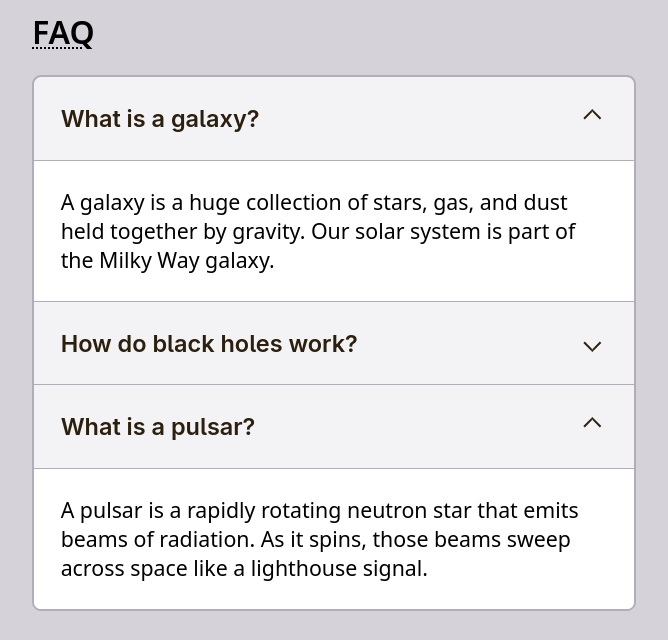
Activity: Where's the State?
Working with your peers (2-4):
- Review the code for the
Accordioncomponent. - How does the
Accordioncomponent know which section is expanded? - Where is the state for the expanded section stored?
A Single Source of Truth: Lifting State Up
When multiple components need to share state, we need to lift the state up to their closest common ancestor.
When we lift state up, we move the state variable and the state update function to the closest common ancestor of the components that need to share the state.
Demo: Only Flip One Card

Planning Components with Component Trees
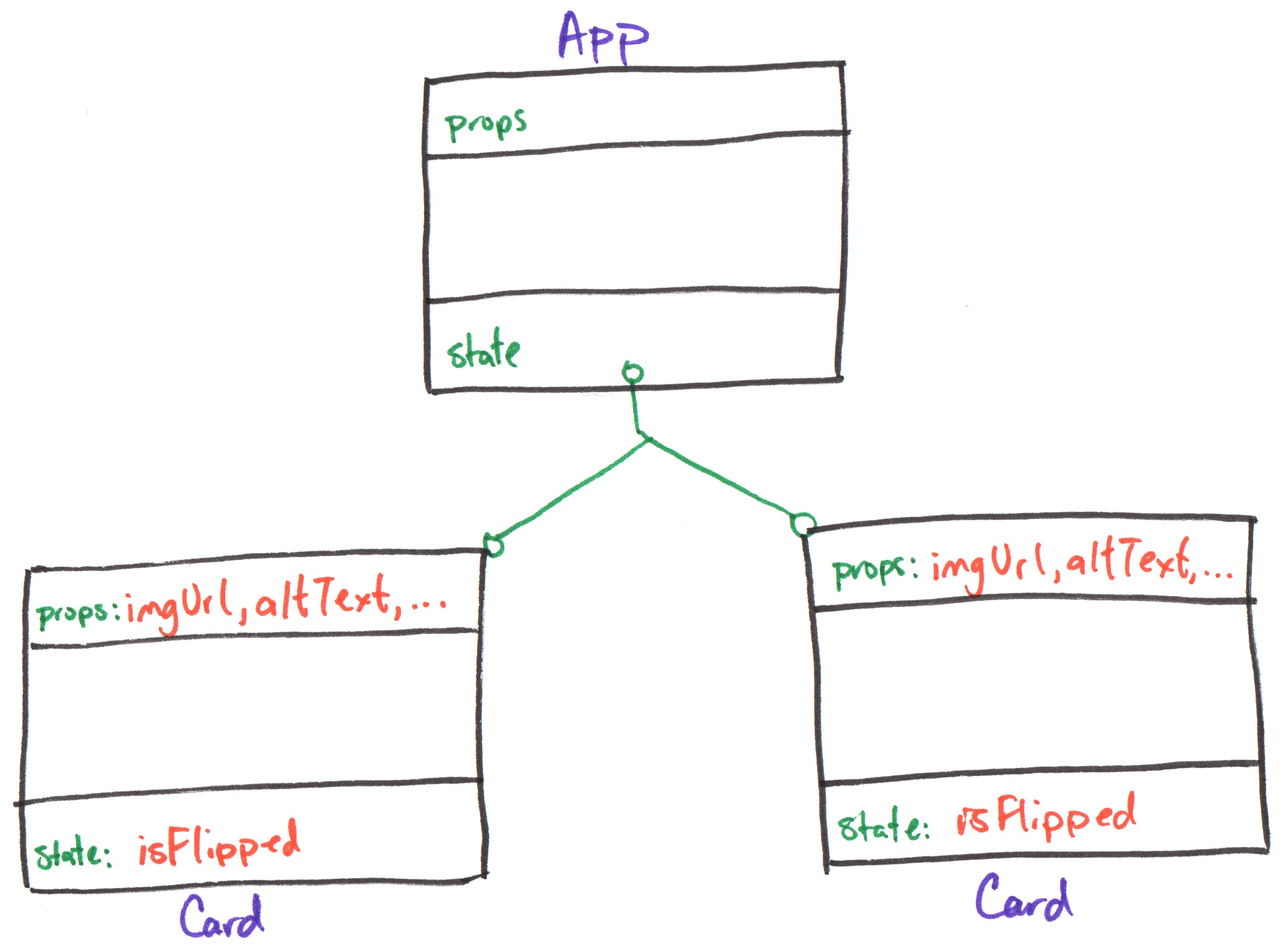
Component Tree
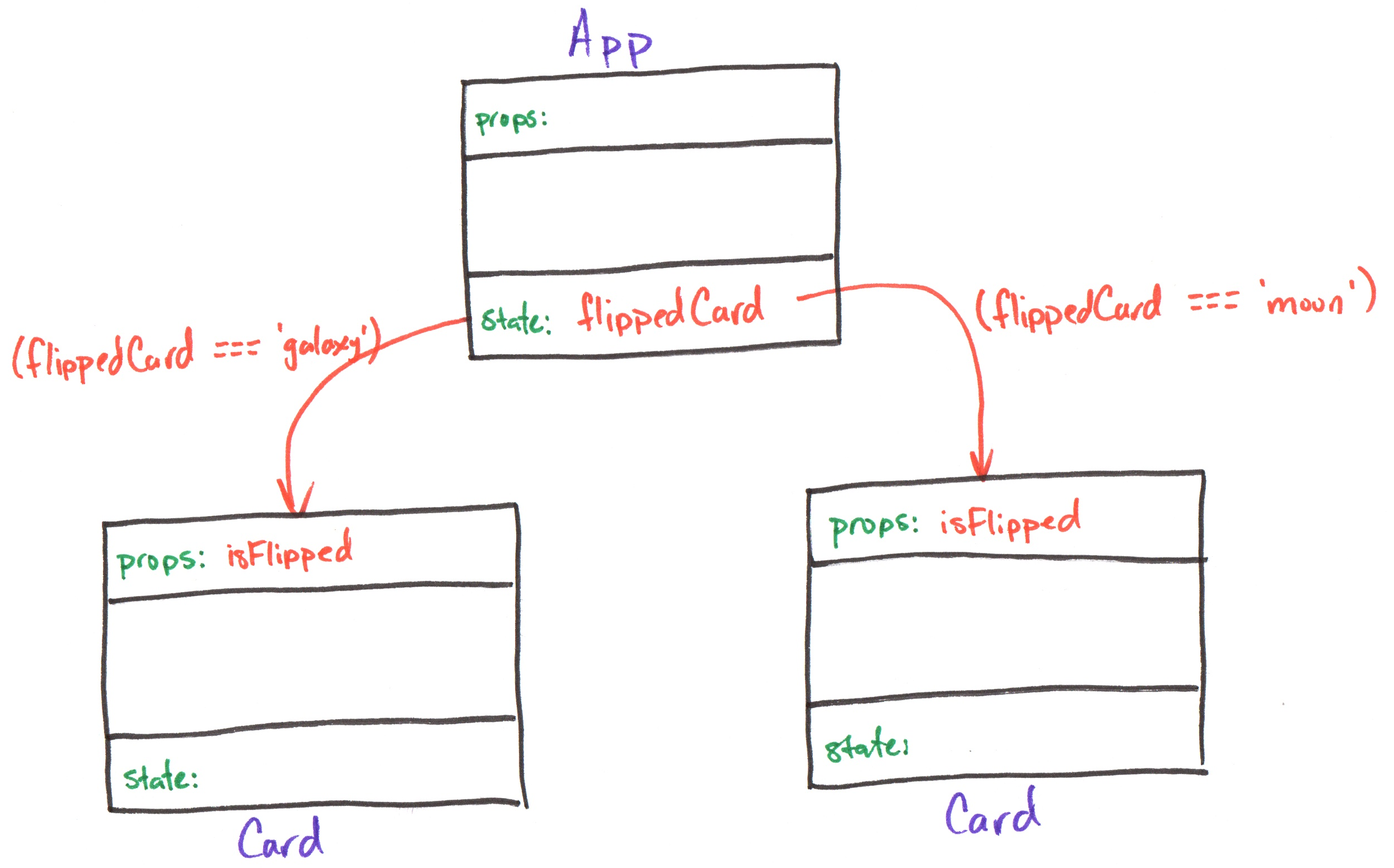
A diagram to visualize the component hierarchy and the flow of data (props) and state.
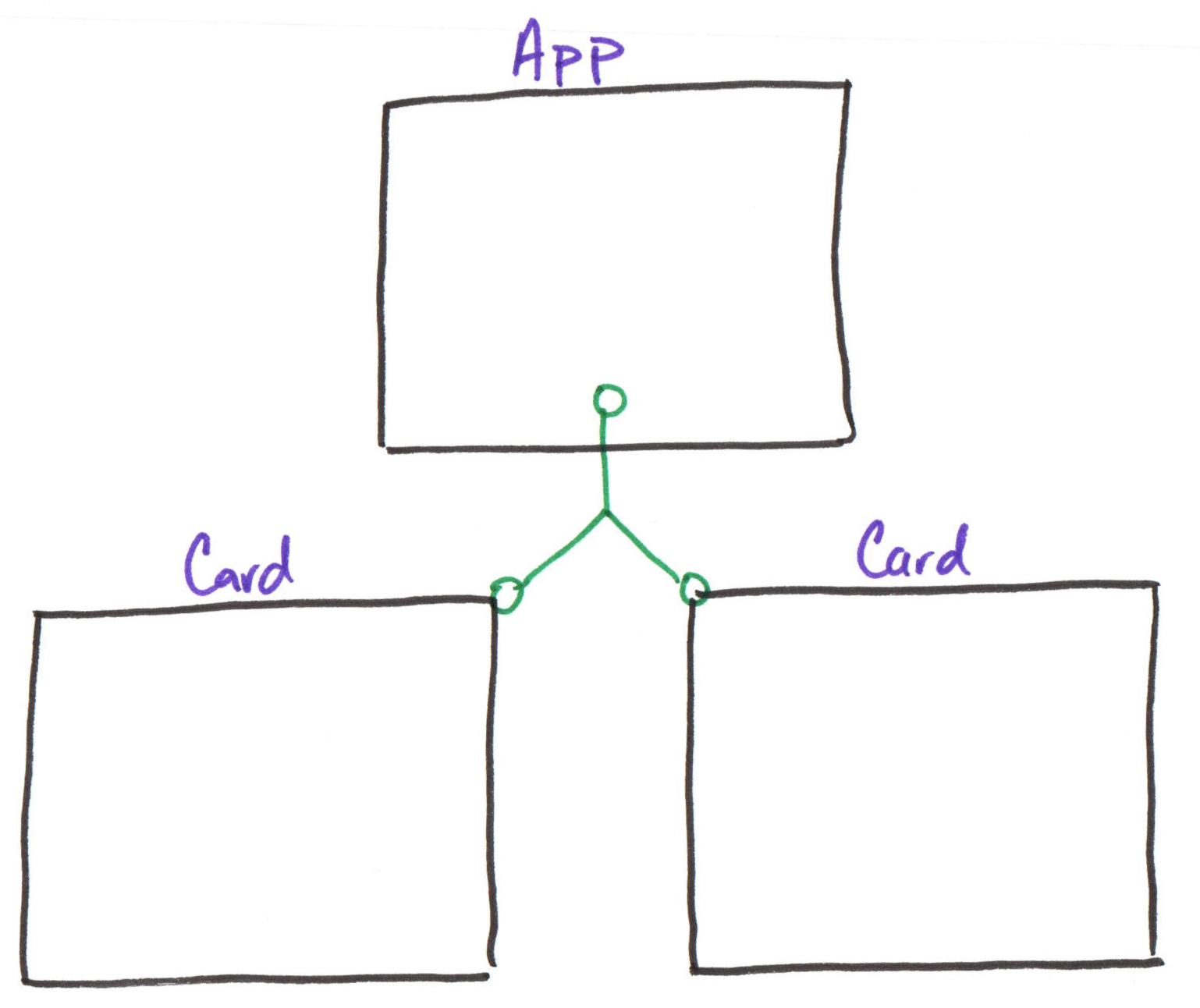
App has 10 Card children (only 2 shown here).
Component Tree: Props
Props are passed down the component tree from parent to child. (i.e. Send data from the parent to the child)
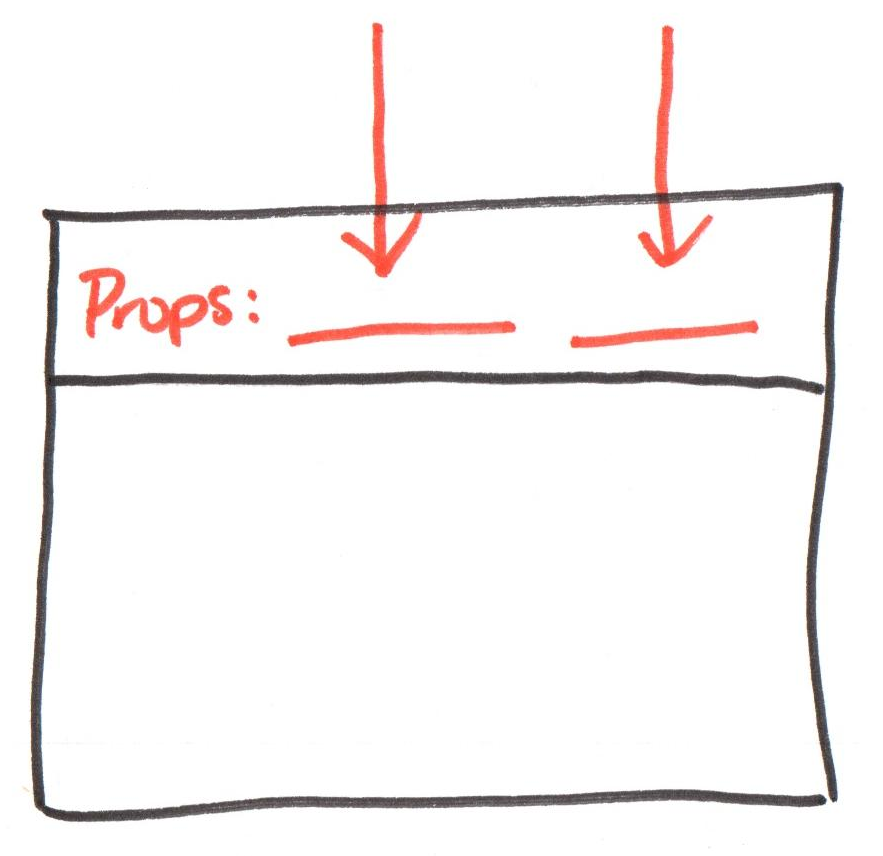
Review: Props are read-only. A component cannot change its props.
Component Tree: State
State is stored inside a component, and it can only be updated by that component. (i.e. State is private to the component)
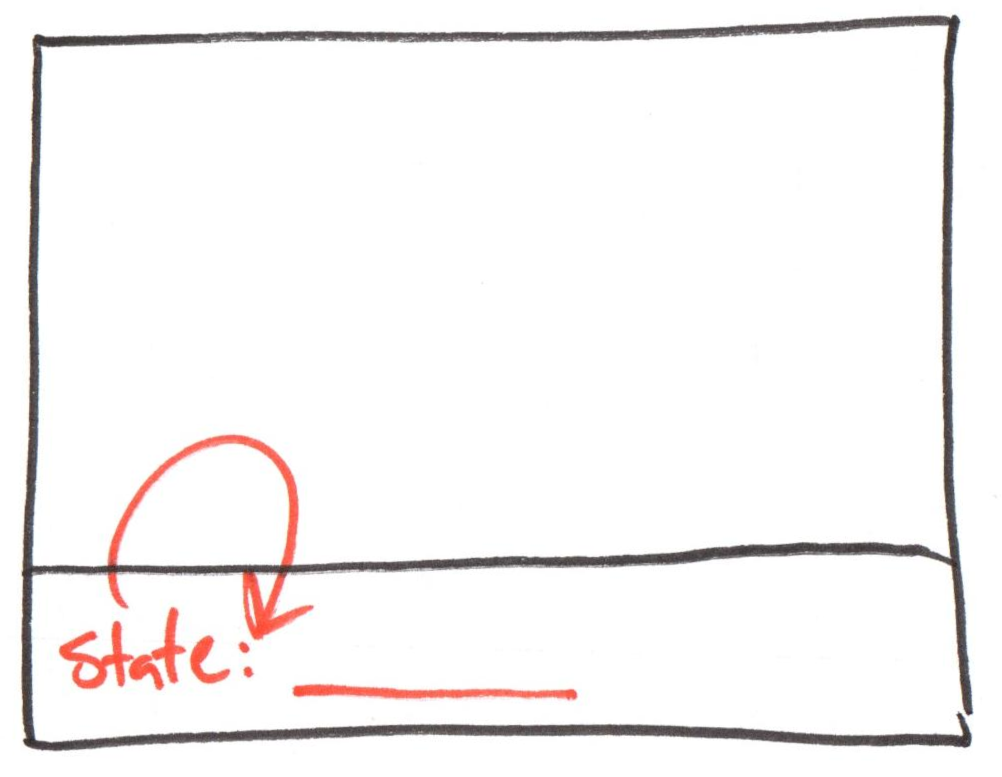
Example: Component Tree
Activity: Component Tree
Working with your peers (2-4), complete items 1, 2, and 3 on the handout.
You need not include all 3 AccordionItems in your component tree diagram, but you should include at least 2.
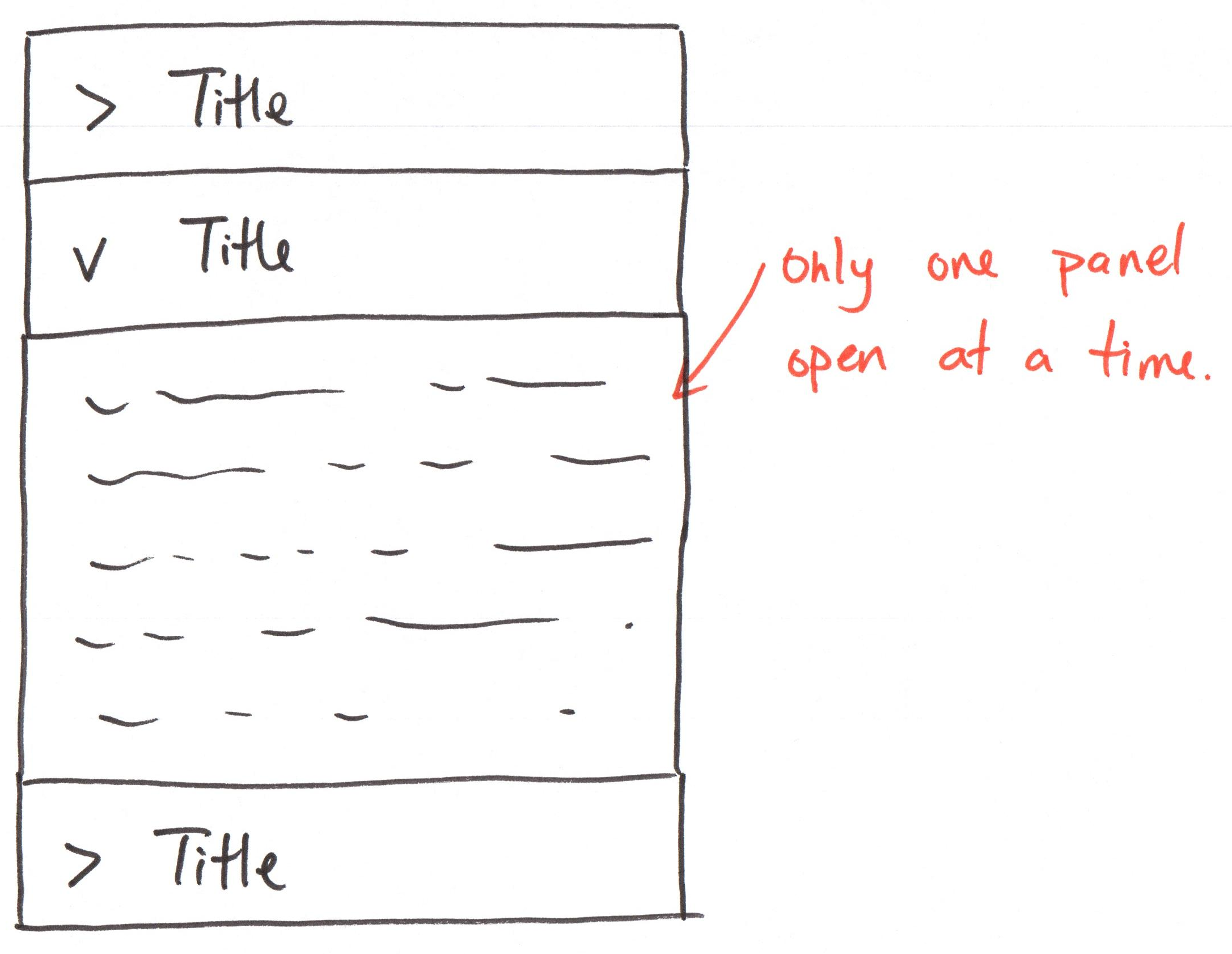
Discussion: Only One Panel
Review the component tree diagram on your handout.
How would you change the props and state to permit only one panel (item) to be expanded at a time?
Lifting State Up
Gotcha: Children Do Not Know Each Other's State
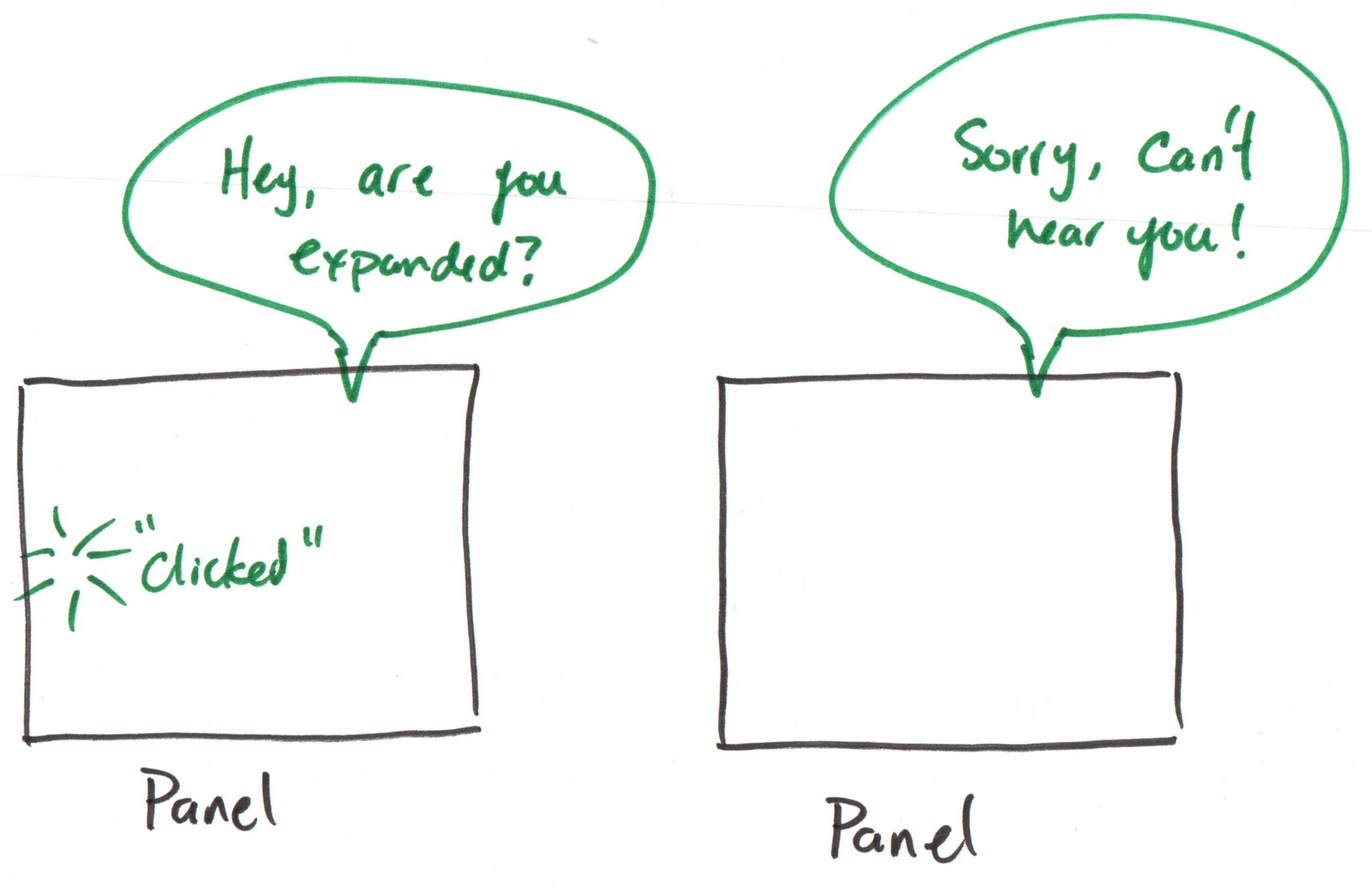
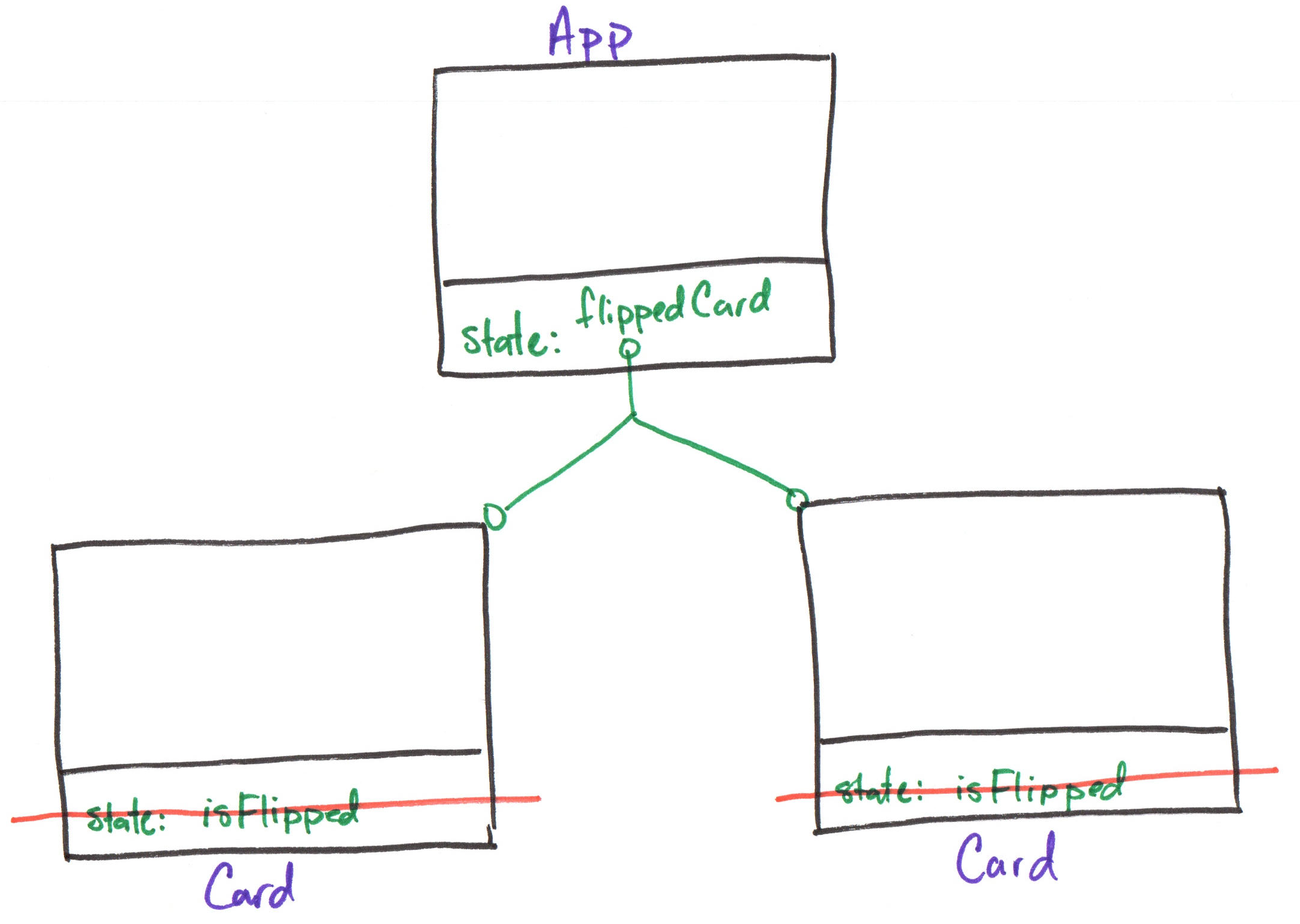
Solution: Lift the state up to the parent component, and pass the state down as props to the children.
Example: Lift State to a Common Parent
Demo: Only One Card -- Lifted State
const [flippedCard, setFlippedCard] = useState(true)
Example: Lifted State Component Tree
Demo: Only One Panel -- Lifted State
App
export default function App() {
  const [flippedCard, setFlippedCard] = useState('null')
  return (
    <div className="gallery">
      <Card
        imgUri="/images/galaxy.webp"
        altText="galaxy"
        isFlipped={flippedCard === 'galaxy'}
      />
      <Card
        imgUri="/images/asteroid.webp"
        altText="asteroid"
        isFlipped={flippedCard === 'asteroid'}
      />
    </div>
  )
}
Card
export default function Card({ imgUri, altText, isFlipped }) {
  return (
    <div className="card">
      <button aria-label="flip card">
        <img src="/icons/flip.svg" />
      </button>

      {!isFlipped && <img src={imgUri} alt={altText} />}
      {!!isFlipped && <>
        {!!caption && <Caption text={caption} />}
        {!!citation && <Citation citation={citation} />}
      </>}
    </div>
  )
}
Gotcha: Remove event handlers from the children for now.
Activity: Only One Panel State
Working with your peers (2-4), complete item 4 on the handout.
Activity: expandedItem State
Working with your peers (2-4):
- Lift the expanded state up to the
Accordioncomponent. - Pass the expanded state down as props to the
AccordionItemcomponents. - Change the default expanded panel set to test that only one panel can be expanded at a time.
Gotcha: Remove event handlers from the AccordionItem components for now.
React Developer Tools
React Developer Tools
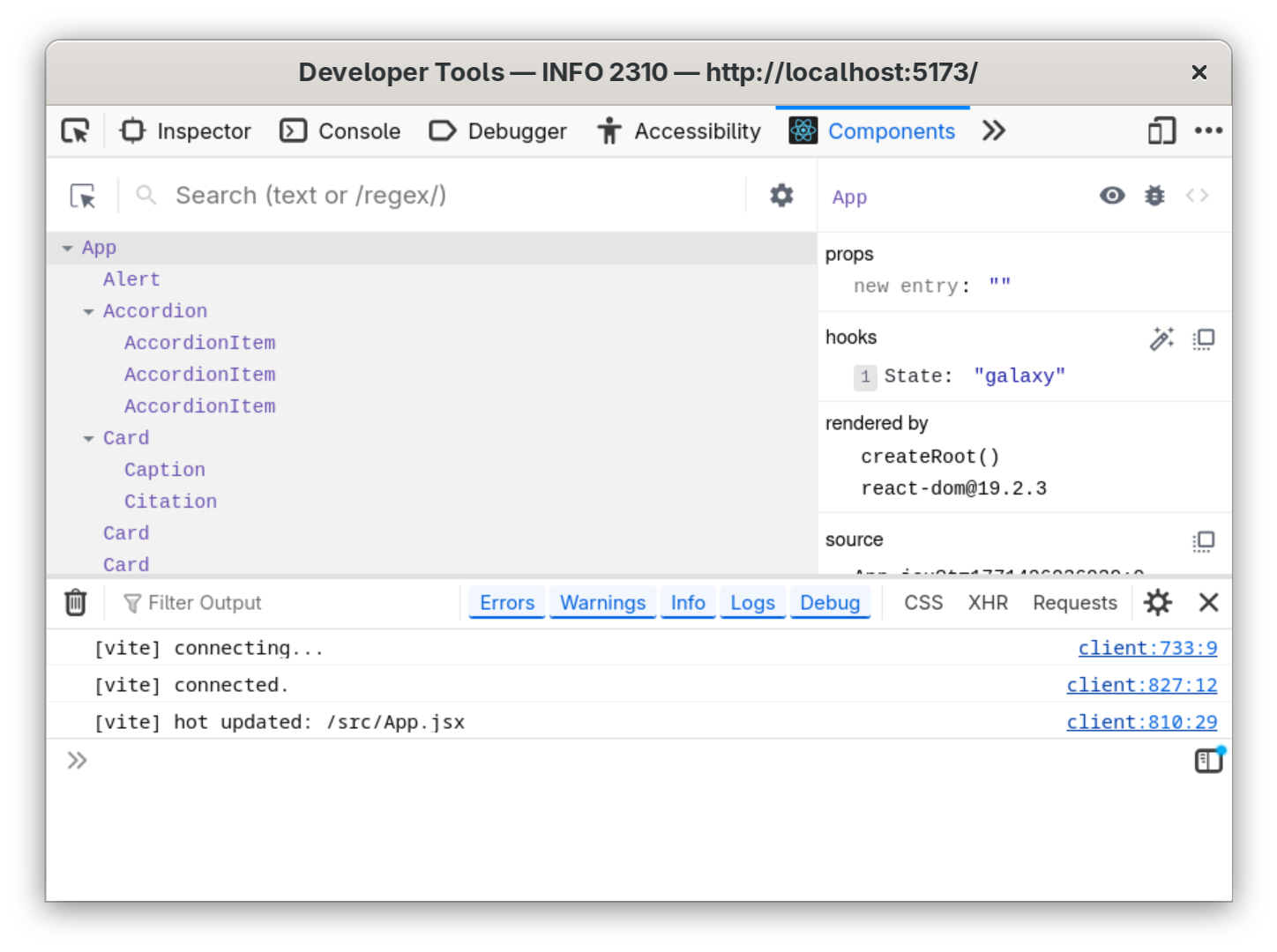
A browser extension that allows you to inspect the React component tree, view props and state, and debug your React applications.
Install: https://react.dev/learn/react-developer-tools
Activity: Check Your State
Summary
- Props are read-only data passed from parent to child.
- State is private data stored in a component that can be updated by that component.
- When multiple components need to share state, lift the state up to their closest common ancestor.
- Use a component tree diagram to visualize the component hierarchy and the flow of data (props) and state.
- Use React Developer Tools to inspect the component tree, view props and state, and debug your React applications.8- Props are read-only data passed from parent to child.
What's Next
Due Thursday: Homework 2
Friday: Practice Problem Workshop: Exam I Practice & Study Session
Monday: Exam I