Class 13: Document Databases
- Review: Last Class
- MERN Stack
- Databases
- MongoDB
Review
Review: JavaScript Object Notation
JSON (pronounced "Jason")is a text-based data interchange format for structuring and exchanging data as key-value objects and arrays between systems, like client and server. Example:
{
  "name": "Alice",
  "age": 30,
  "isStudent": false,
  "hobbies": ["reading", "hiking", "coding"],
  "address": {
    "street": "123 Main St",
    "city": "Anytown",
    "state": "CA"
  }
}
Review: Arrays of Objects
const cardData = [
  {
    id: 'galaxy',
    imgUri: "/images/galaxy.webp",
    altText: "galaxy",
    caption: "A galaxy is a collection of stars, gas, and dust held together by gravity.",
    citation: "Microsoft Copilot",
  },
  {
    id: 'asteroid',
    imgUri: '/images/asteroid.webp',
    altText: 'asteroid',
    caption: 'An asteroid is a small rocky body that orbits the sun.',
  },
  ...
]
Review: Rendering Lists with map
{cardData.map((card, index) => (
  <Card
    key={card.id}

    imgUri={card.imgUri}
    altText={card.altText}
    caption={card.caption}
    citation={card.citation}
    bgColor={card.bgColor}

    isFlipped={flippedCard === card.id}
    onFlip={(showBack) => setFlippedCard(showBack ? card.id : null)}
  />
))}
MERN
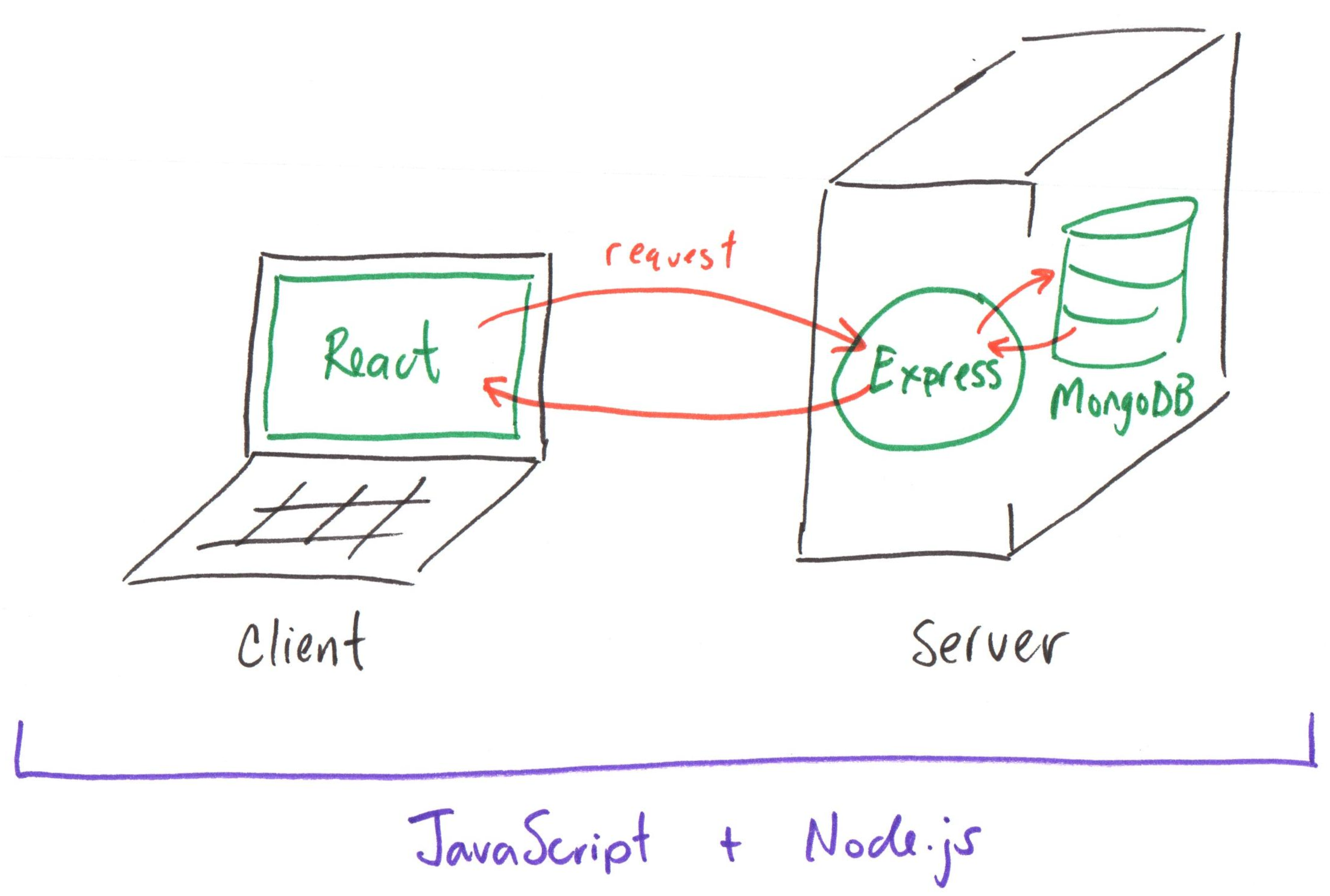
MERN Stack
- MongoDB
- Express
- React
- Node.js
Databases
Database
An organized collection of data.
Examples:
- Library catalog
- Phone contacts
- Music playlist
- Social media feed
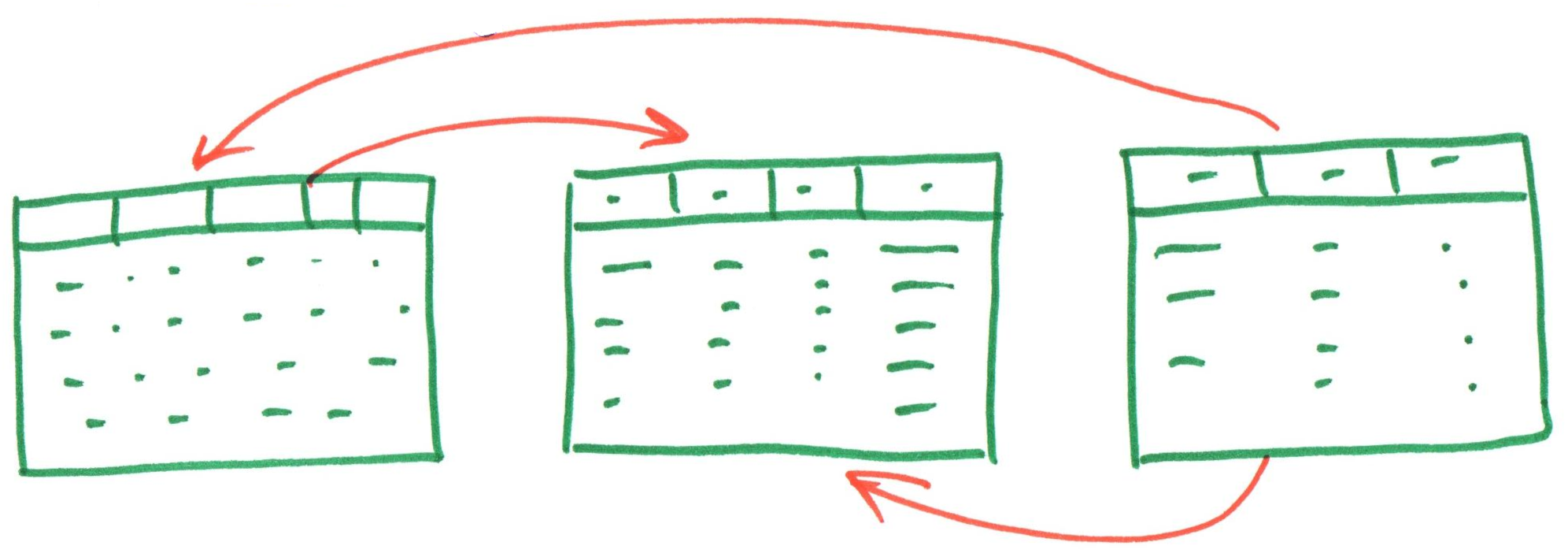
Relational Database
A database consisting of separate tables, having explicitly defined relationships, and who elements may be selectively combined as the results of queries.
Document Database
A database that stores and manages large volumes of unstructured or semi-structured data as "documents".
Document Database Terminology

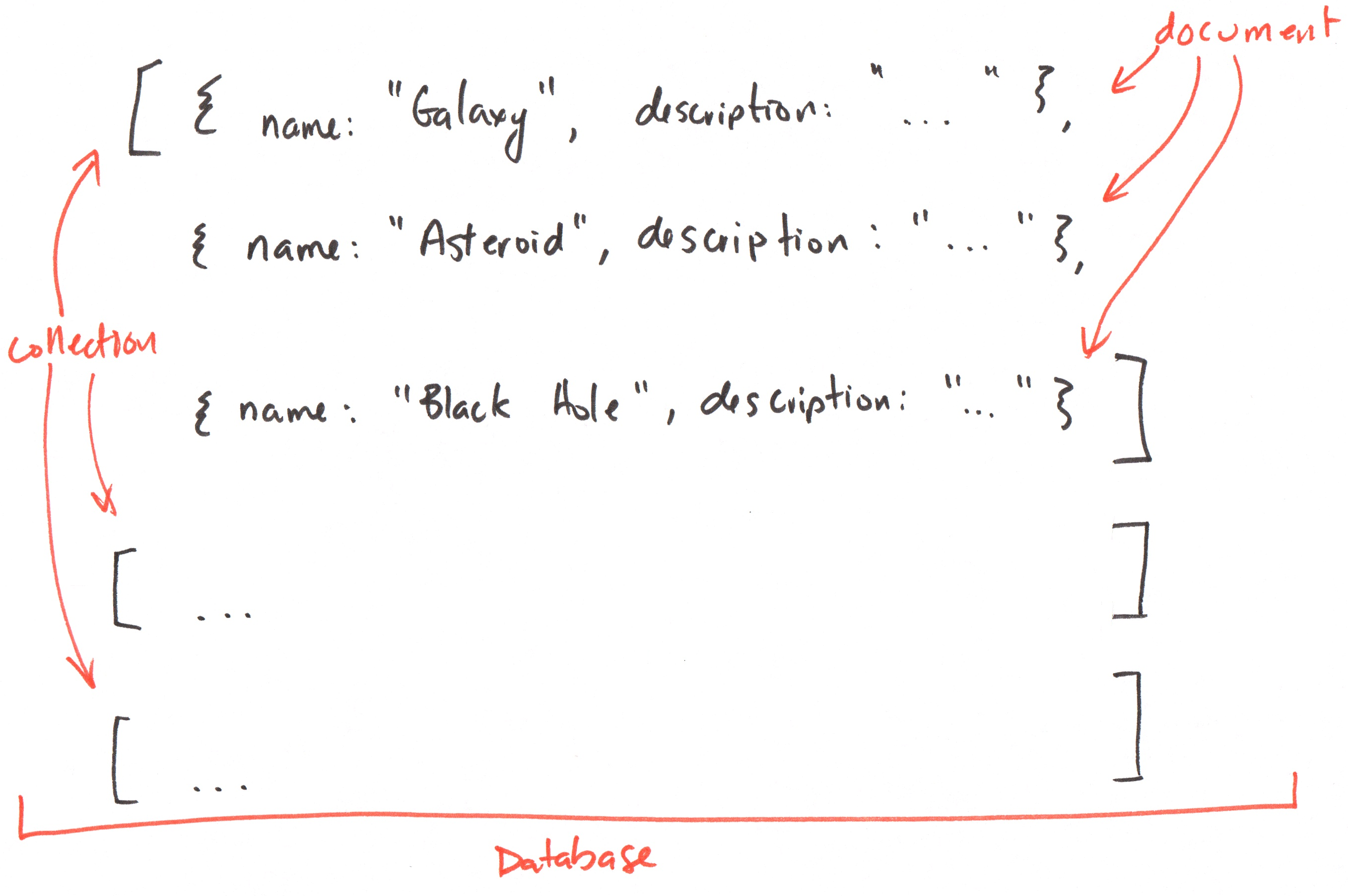
Document: A self-contained unit of data that represents a single entity. (Typically JSON)

Collection: A group of documents.

Database: One or more collections of documents.
Activity: Make a Collection
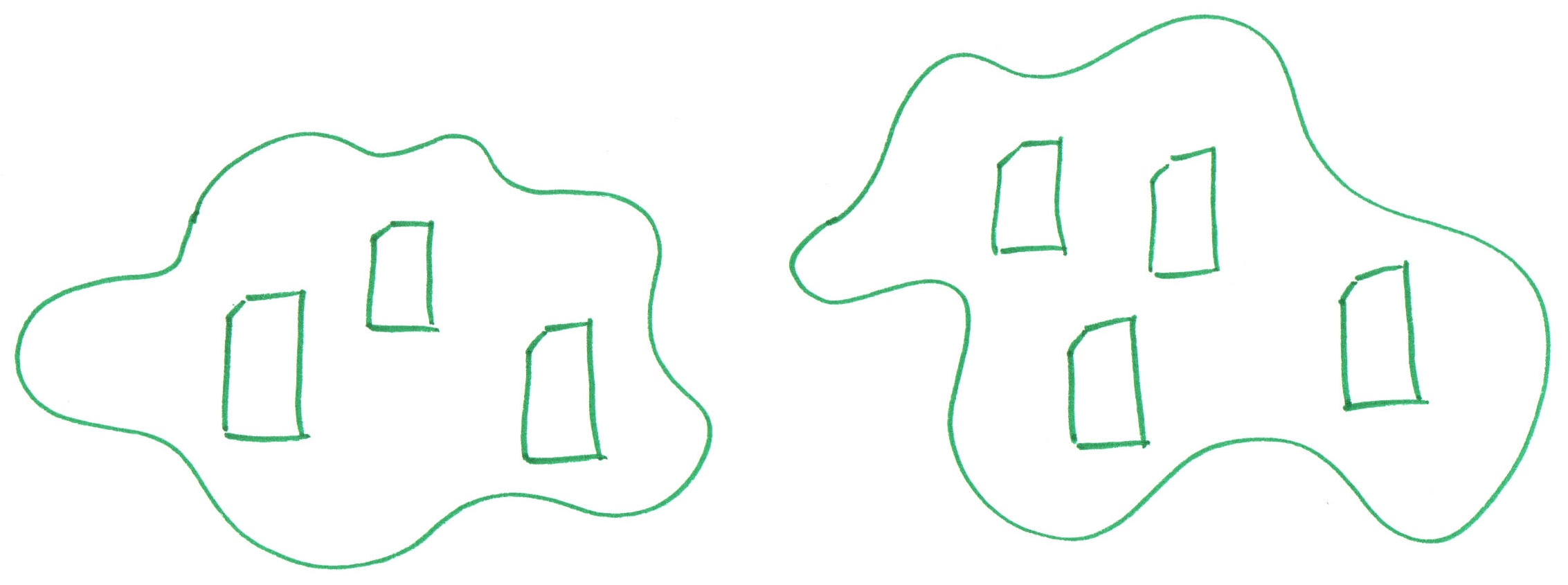
With your peers (2-4), make a collection of documents on the board.
-
Identify something you are all interested in (e.g. video games, songs, foods, movies, etc.)
-
Next, plan a collection of documents where each document has a string, and number.
Each person should draw a box representing a document, and write an example document with a string and number in that box.
-
Draw a big "circle" around all the documents to represent the collection.
Discussion: Making a Collection
Look around the room. Where are the documents, collections, and databases?
Database: The entire classroom is the "database" because it's a grouping of collections.
Collection: The circle around the documents is the "collection" because it's a grouping of documents.
Document: Each box is a "document" because it contains data about a single entity.
MongoDB
MongoDB
MongoDB is a popular document database.
All documents in MongoDB are JSON.
Example: MongoDB
Document (Object)
{
  name: "Asteroid",
  description: "An asteroid is a small
    rocky body that orbits the sun.",
}
Collection (Array of Objects)
[
  {
    name: "Asteroid",
    description: "An asteroid is a
      small rocky body that orbits
      the sun.",
  },
  {
    name: "Galaxy",
    description: "A galaxy is a
      collection of stars, gas, and
      dust held together by gravity.",
  }
]
Activity: Make a Collection
Working with your peers (2-4), complete Part I on the handout.
[
  {
    name: "Asteroid",
    description: "An asteroid is a small rocky body that orbits the sun.",
  },
  {
    name: "Galaxy",
    description: "A galaxy is a collection of stars, gas, and dust held together by gravity.",
  }
]
Coding the Database
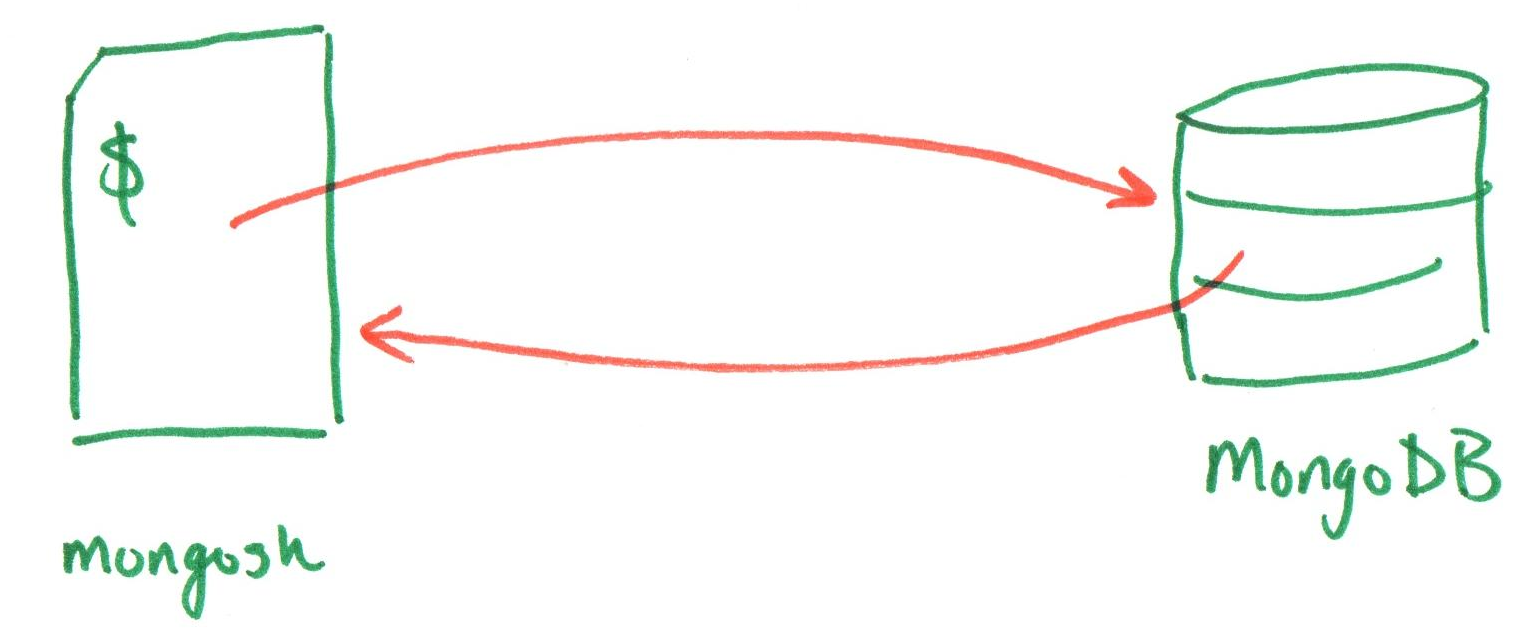
mongosh is a shell interface for MongoDB.
Specifically, it is a JavaScript and Node.js environment for interacting with MongoDB databases.
MongoDB Shell
Create/use a database:
use("TODO_DATABASE_NAME")
Create a collection (and delete the old one):
db.TODO_COLLECTION_NAME.drop()
db.createCollection("TODO_COLLECTION_NAME")
Demo: Create a Database and Collection
use('app')

db.space.drop()
db.createCollection('space')

db.questions.drop()
db.createCollection('questions')
Activity: Initialize a MongoDB Database
Working with your peers (2-4), complete items 1 and 2 in Part II on the handout.
use('app')

db.space.drop()
db.createCollection('space')

db.questions.drop()
db.createCollection('questions')
MongoDB Shell: Insert Documents
Insert a single document:
db.TODO_COLLECTION_NAME.insertOne(TODO_DOCUMENT)
Insert multiple documents:
db.TODO_COLLECTION_NAME.insertMany([
  TODO_DOCUMENT_1,
  TODO_DOCUMENT_2,
  ...
])
Demo: Insert Documents into MongoDB
db.space.insertOne({
  name: "Galaxy",
  description: "A galaxy is a collection of stars, gas, and dust held together by gravity.",
  source: "Microsoft Copilot"
})

db.space.insertMany([
  {
    name: "Asteroid",
    description: "An asteroid is a small rocky body that orbits the sun.",
    source: "Microsoft Copilot"
  },
  {
    name: "Black Hole",
    description: "A black hole, a region of space where gravity is so strong that nothing can escape it.",
    source: "Microsoft Copilot",
  },
])
Activity: Insert Documents into MongoDB
Working with your peers (2-4), complete item 3 in Part II on the handout.
db.TODO_COLLECTION_NAME.insertMany([
  TODO_DOCUMENT_1,
  TODO_DOCUMENT_2,
  ...
])
Activity: MongoDB in Codespaces
Together, let's create a playground.mongodb.js file. Execute it to initialize the database, collection, and documents you planned in parts I & II.
Then, we'll explore the MongoDB shell in Codespaces to see the database, collection, and documents you created.
_id Field
When a document is inserted into a MongoDB collection, it is automatically assigned a unique identifier (the _id field).
{
  "_id": ObjectId("60c72b2f9b1e8a5f4d3e8b9c"),
  "name": "Asteroid",
  "description": "An asteroid is a small rocky body that orbits the sun.",
  "source": "Microsoft Copilot"
}
Summary
- Databases are organized collections of data.
- A relational database consists of separate tables with explicitly defined relationships.
- A document database stores and manages large volumes of unstructured or semi-structured data as "documents".
- MongoDB is a popular document database that uses JSON to represent documents.
- The MongoDB shell (
mongosh) is a JavaScript and Node.js environment for interacting with MongoDB databases. - Documents inserted into MongoDB collections are automatically assigned a unique identifier in the
_idfield.
What's Next
Due Today: Project 1, Final Milestone
Wednesday: Database Operations
Wednesday: Project 2, Milestone 1 Released
Friday: Practice Problem Workshop (Document Databases)