Class 14: Document Database Operations
- Review: Last Class
- Database Operations
- Create
- Read
- Update
- Delete
Review
Review: Database
An organized collection of data.
Examples:
- Library catalog
- Phone contacts
- Music playlist
- Social media feed
Review: Document Database
A database that stores and manages large volumes of unstructured or semi-structured data as "documents", often in JSON format.
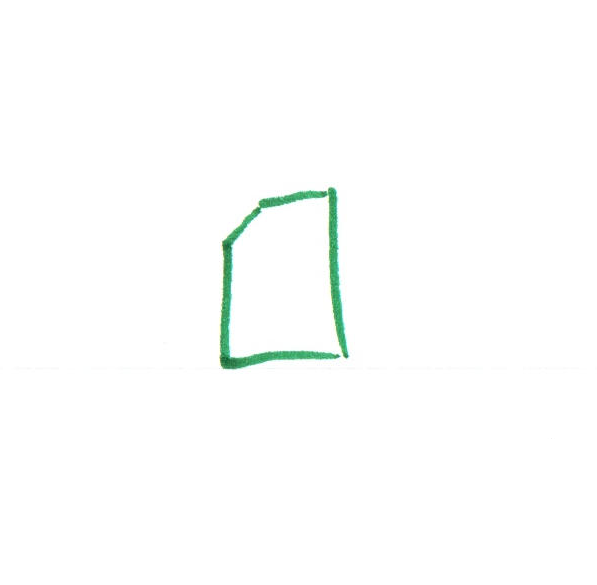
Document: A self-contained unit of data that represents a single entity. (Typically JSON)
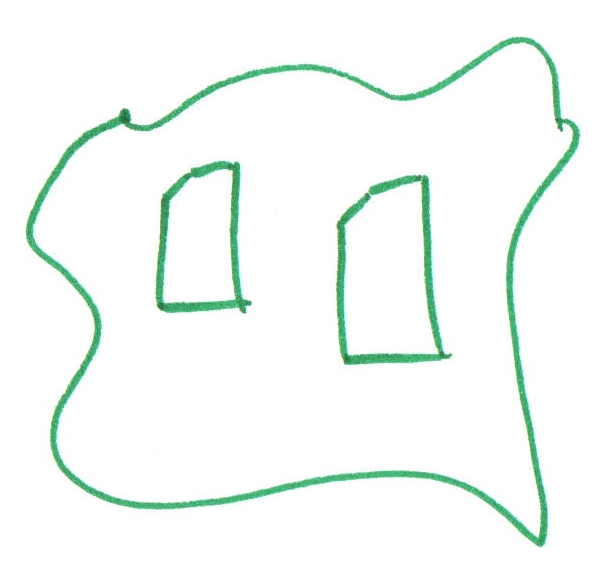
Collection: A group of documents.
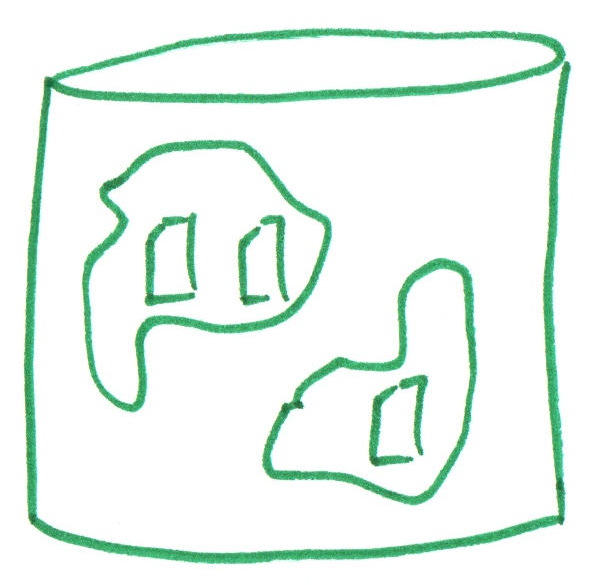
Database: One or more collections of documents.
Review: MongoDB
MongoDB is a popular document database that uses JSON to represent documents.
Document (Object)
{
  name: "Asteroid",
  description: "An asteroid is a small
    rocky body that orbits the sun.",
}
Collection (Array of Objects)
[
  {
    name: "Asteroid",
    description: "An asteroid is a
      small rocky body that orbits
      the sun.",
  },
  {
    name: "Galaxy",
    description: "A galaxy is a
      collection of stars, gas, and
      dust held together by gravity.",
  }
]
Activity: Document Database Schema
Working with your peers (2-4), design a document database schema for Plant Scientist blog (https://plantscientist.wordpress.com/) on the board.
A schema is a plan for how to organize data in a database. Define your schema by creating example JSON documents and collections on the board.
Important Observations:
- The blog has many posts.
- Each post has a title, content, author, etc.
- Every post has zero or more comments.
- Some comment have replies, and some do not.
Review: MongoDB Shell
mongosh is a shell interface for MongoDB (file extension: .mongodb.js).
Specifically, it is a JavaScript and Node.js environment for interacting with MongoDB databases.
use('app')

db.space.drop()
db.createCollection('space')

db.questions.drop()
db.createCollection('questions')
Database Operations
Primary Database Operations
Create - Insert new documents into a collection.
Read - Query and retrieve documents from a collection.
Update - Modify existing documents in a collection.
Delete - Remove documents from a collection.
MongoDB CRUD Operations
Use the reference documentation!
https://www.mongodb.com/docs/manual/crud/
Create
Insert a single document into a collection:
db.TODO_COLLECTION_NAME.insertOne(TODO_DOCUMENT)
Insert multiple documents into a collection:
db.TODO_COLLECTION_NAME.insertMany([
  TODO_DOCUMENT_1,
  TODO_DOCUMENT_2,
  ...
])
Example: Inserting Documents
db.space.insertOne({
  name: "Galaxy",
  description: "A galaxy is a collection of stars, gas, and dust held together by gravity.",
  source: "Microsoft Copilot"
})

db.space.insertMany([
  {
    name: "Asteroid",
    description: "An asteroid is a small rocky body that orbits the sun.",
    source: "Microsoft Copilot"
  },
  {
    name: "Black Hole",
    description: "A black hole, a region of space where gravity is so strong that nothing can escape it.",
    source: "Microsoft Copilot",
  },
])
Activity: Insert Document into MongoDB
Working with your peers (2-4), initialize a produce collection into the playground database using the existing data in playground.mongodb.js
db.produce.insertOne({...})
db.produce.insertMany([ {...},{...}, ... ])
Gotcha: Set the Database!
MongoDB Shell defaults to the test database. Always make sure to set the database before running any commands!
use('app')
Read: Querying Documents
Retrieve all documents from a collection:
db.TODO_COLLECTION_NAME.find()
Retrieve documents that match a specific condition:
db.TODO_COLLECTION_NAME.find({ FIELD: VALUE })
Retrieve documents that match multiple conditions:
db.TODO_COLLECTION_NAME.find({ FIELD1: VALUE1, FIELD2: VALUE2 })
Example: Querying Documents
// Find all documents in the "space" collection
db.space.find()

// Find all documents where the name is "Galaxy"
db.space.find({ name: "Galaxy" })
Interactive MongoDB Shell
.mongodb.js files are useful for initializing a database (i.g. init.mongodb.js), but they are not ideal for testing queries.
Solution: Use the interactive mongosh shell to test your queries.
- Open a Terminal.
- Run the command:
mongosh - Set the database:
use('app') - Test your queries!
- When you're done, exit the shell by running:
exit
Activity: Query Documents in MongoDB
Together, let's retrieve all documents from the produce, space, and questions collections.
MongoDB Query Operators
db.TODO_COLLECTION_NAME.find({ FIELD: { OPERATOR: VALUE } })
| Operator | Description |
|---|---|
$eq | Equal to |
$ne | Not equal to |
$gt | Greater than |
$gte | Greater than or equal to |
$lt | Less than |
$lte | Less than or equal to |
Example: Query Operators
// Find all documents that are not "Galaxy"
db.space.find({ name: { $ne: "Galaxy" } })
Note: $eq is the default operator. These queries are equivalent:
db.space.find({ name: "Galaxy" })
db.space.find({ name: { $eq: "Galaxy" } })
Activity: Query with Operators in MongoDB
Working with your peers, complete items #1 and #2 on the handout.
Use mongosh to test your queries, then write your answer on the handout.
Example:
// Find all documents that are not "Galaxy"
db.space.find({ name: { $ne: "Galaxy" } })
Update: Modifying Documents
Update a single document:
db.TODO_COLLECTION_NAME.updateOne(
  { FIELD: VALUE }, // Filter
  { $set: { FIELD_TO_UPDATE: NEW_VALUE } } // Update
)
Update multiple documents:
db.TODO_COLLECTION_NAME.updateMany(
  { FIELD: VALUE }, // Filter
  { $set: { FIELD_TO_UPDATE: NEW_VALUE } } // Update
)
Update Operators
db.TODO_COLLECTION_NAME.updateOne(
  { FIELD: VALUE }, // Filter
  { UPDATE_OPERATOR: { FIELD_TO_UPDATE: NEW_VALUE } } // Update
)
| Operator | Description |
|---|---|
$set | Set the value of a field |
$inc | Increment the value of a field |
$push | Add an item to an array field |
$pull | Remove an item from an array field |
Activity: Update Documents in MongoDB
Working with your peers, complete item #3 on the handout.
Use mongosh to test your queries, then write your answer on the handout.
Example:
db.space.updateOne(
  { name: "Galaxy" },
  { $set: { description: "A galaxy is a massive system of stars,
    gas, and dust held together by gravity." } }
)
Delete: Removing Documents
Delete a single document:
db.TODO_COLLECTION_NAME.deleteOne({ FIELD: VALUE })
Delete multiple documents:
db.TODO_COLLECTION_NAME.deleteMany({ FIELD: VALUE })
Activity: Delete Documents in MongoDB
Working with your peers, complete item #4 on the handout.
Use mongosh to test your queries, then write your answer on the handout.
// Delete the "Galaxy" document
db.space.deleteOne({ name: "Galaxy" })
Project 2
Project 2: Community Events SPA
For your second project you will design and implement an interactive community events single-page application using the MERN stack. For this project, you may only use the methods taught in this course.
The idea for this project to encourage community engagement by providing a platform for community members to discover and participate in local events. However, community engagement is not a strict requirement for this project. You may create an events web application for any type of events you like regardless of whether it promotes community engagement.
Summary
- The primary database operations are Create, Read, Update, and Delete (CRUD).
- Create inserts new documents into a collection.
- Read queries and retrieves documents from a collection.
- Update modifies existing documents in a collection.
- Delete removes documents from a collection.
What's Next
Wednesday: Project 2, Milestone 1 Released
Friday: Practice Problem Workshop (Document Databases)