INFO 4340/5440: Installable Prototype App
Class 9: Installable Prototype App
- Review: Last Class
- Installable Prototype App
- Studio - Homework 3, Sprint 2
Copyright 2026, Kyle J. Harms
Review: Slots
Slots are a way to pass content from a parent component to a child component. They allow you to create more flexible and reusable components.
App.vue
<script setup>
import Card from 'Card.vue'
</script>
<template>
  <Card>
    <template #header>
      <h2>Card Header</h2>
    </template>
    <template #body>
      <p>Card Body</p>
    </template>
  </Card>
</template>
Card.vue
<script setup>
</script>

<template>
  <div class="border border-gray-300 rounded-lg">
    <header class="bg-gray-100 p-4">
      <slot name="header"></slot>
    </header>
    <main class="p-4">
      <slot name="body"></slot>
    </main>
  </div>
</template>
Review: GitHub Issues
-
Create a button component in your Homework 3 repository.
-
Commit your changes using a commit message that references the issue number (e.g.
#1). -
When you are finished with your changes, close the issue.
If you want to close the issue automatically when you push your changes, use the following commit message:
implement button component (closes #1)
Installable Prototype App
Progressive Web App
A Progressive Web App (PWA) is a type of web application that is installable on a user's device and can work offline or with a poor network connection.
PWA requirements:
- A manifest (provides metadata about the app)
- A service worker (enables offline functionality)
- HTTPS (for security)
Homework 3: Sprint 2
Goal: Create an installable prototype app that documents the functionality of your UI component library.
Activity: Installable Prototype App
Together, let's create a PWA from your Homework 3, sprint 2.
Tips: Unable to Install PWA
First try: Hard refresh in your browser
Codespace:
- Stop your dev server
npm installagain
GitHub Pages:
npm run buildandnpm run publish-pwa(Ctrl + Shift + Ron Windows,Cmd + Shift + Ron Mac)- In
github.comPages setting for repo, set Branch to none. Save. Then set togh-pages. Save.
Homework 3: Sprint 2
Goal: Create an installable prototype app that documents the functionality of your UI component library.
Sub-Goals: Implement progressive web app (PWA) functionality in your Homework 3 prototype app. Sub-Goals: Implement additional components that are necessary to implement an "image conversion" app.
Note: You are not implementing an image conversion prototype.
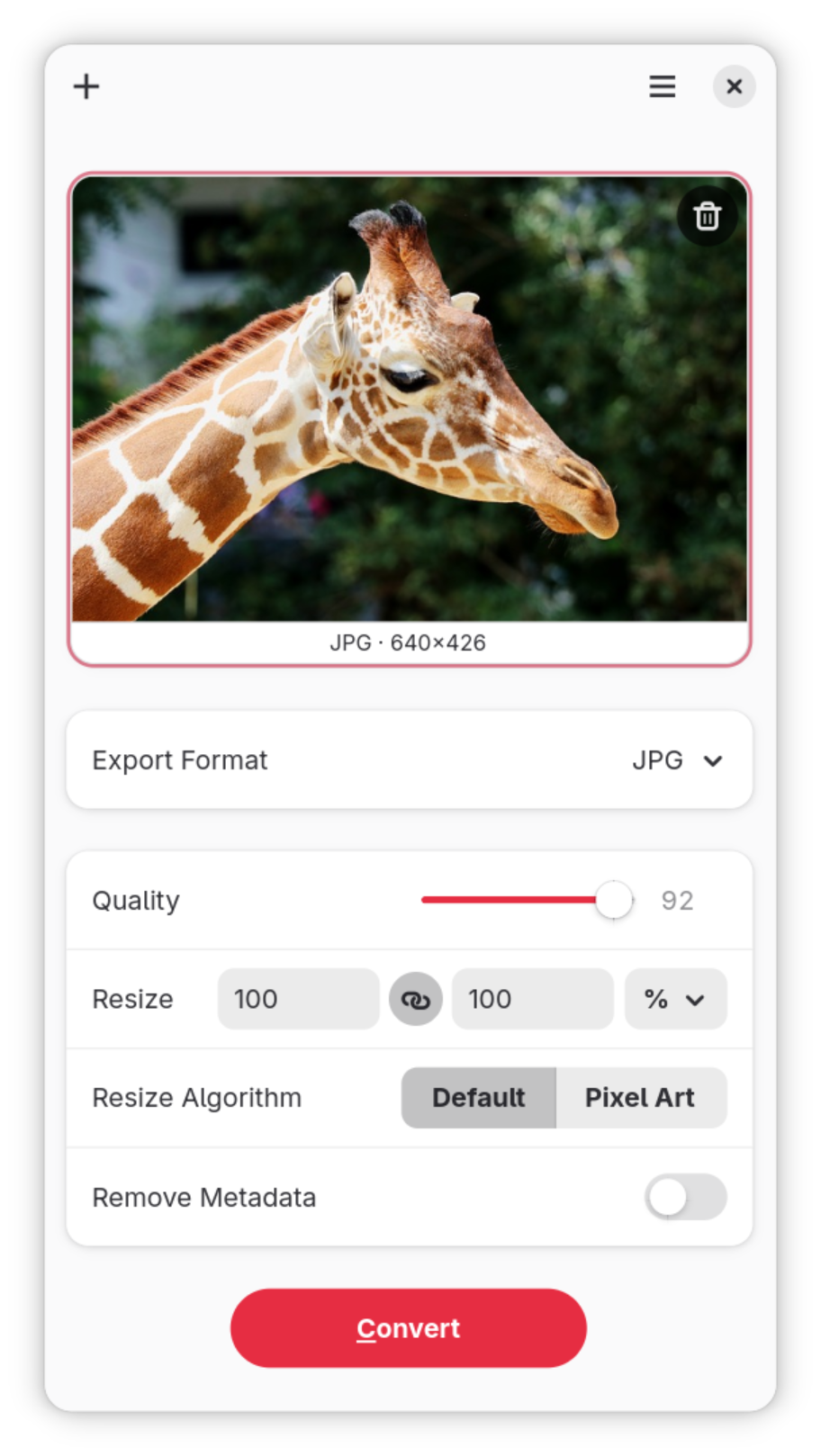
Activity: Component API Design
Working with a peer, identify the components that are necessary to implement an "image conversion" app. Design the API for these components.
Studio: Homework 3, Sprint 2
- Create an issue for each task in your Homework 3 repository.
- Implement the PWA functionality.
- Plan and implement the additional components that are necessary to implement an "image conversion" app.
What's Next
Thursday's Class: Oral Exam I Primer + Practice
Next Week: Oral Exam I