INFO 4340/5440: GitHub Projects
Class 19: GitHub Projects
- Oral Exam II Preparation
- GitHub Projects
- Project, Sprint 1
Copyright 2026, Kyle J. Harms
Oral Exam II
Mock Technical Interview, Round 2
Oral Exam II: Mock Technical Interview, Round 2
Learning Objective: Demonstrate your ability to engineer effective prompts for a local LLM and communicate your understanding of technical concepts in a professional setting.
Think: You passed the first round (front-end engineer). Round 2 is the AI engineer interview. Same format, different skills.
Exam II: Format
Before the exam, a repository with a WebLLM app prototype will be provided.
At the start of the exam, you will be randomly assigned a (GitHub) issue that asks you to engineer a system prompt for a task. You will have a maximum of 15 minutes to complete the task. Think aloud as you work through the task to explain your thought process and reasoning. (No RAG.)
You may use a one-page (8.5" x 11"), front and back, cheat sheet with your handwritten notes during the exam. All other resources are prohibited; you may not use AI during the exam. (You must submit the cheat sheet at the end of the exam.)
When you complete your issue, the interviewer will evaluate your prompt engineering with a surprise user prompt. (This is 25% of your grade.)
Exam II: Grading
| Criteria | You got the job! |
|---|---|
| Professionalism (25%) | On time, prepared (Codespace running, model loaded), composed, etc. |
| Communication (25%) | Think aloud: what you're adding to the prompt and why, using appropriate vocabulary. |
| Problem-Solving (25%) | Test, critique, revise. Test more than the obvious case. Improve the prompt based on the results. |
| Technical Competency (25%) | The prompt is engineered to address all five characteristics, if applicable. Context is provided to the model using the methods taught in class (not RAG). The surprise user prompt's response meets the acceptance criteria (including timely response). |
For each criterion, you will receive 0, 1, 2, 3, or 4 points.
Review: System Prompt Characteristics
- Persona: Defines the model's identity and role.
- Safety & Ethics Focus: Directives to avoid harmful, biased, or inappropriate content.
- Behavioral Guidance: Tone, helpfulness, and interaction style.
- Capability Awareness: General abilities and limitations (e.g., what it doesn't know).
- Response Formatting: How to format responses (e.g., concise, JSON, with examples).
Exam 2: Preparation
Working with a peer:
- Create an issue for your peer. Read the issue. (Don't just start typing in a panic.)
- Ask yourself: What does the model not know? What should the response look like?
- Start with a short prompt.
- Test it. Critique the response against the acceptance criteria. Revise one thing at a time.
- Add examples (one-shot, few-shot, chain-of-thought, etc.)
- Try to break your own prompt.
- Explain what you are doing and why you are doing it. (Think aloud.)
Oral Exam II: Scheduling
Mock technical interviews: Monday, Nov 2nd to Friday, Nov 6th.
Schedule your interview time slot in Canvas no later than Sunday, Nov 1st, 11:59pm.
The oral exam time slots are on a first-come, first-served basis. If you do not sign up for an oral exam time slot by the deadline, you will receive a 0 for the exam.
Not showing up to your scheduled appointment or canceling within 24 hours of your scheduled appointment will result in 0 credit for the exam. No exceptions.
Project
Project: LLM Supported App Prototype
For the remainder of the semester, you will work in teams to design and implement a substantial app prototype that uses an LLM to support a user with a complex task.
INFO 5440: + Prototype a REST API that supports the app. (Example: a REST API that provides data to the app, or processes user input (e.g. re-encode a video). May not use an LLM.)
Project: Topic Don'ts
- No chatbots
- No "trackers"
- No "generators"
- No "planners"
- No "calculators"
- No "student" centric apps (e.g. automatic regrade requests, etc.)
Note: These are not absolutes. There is some flexibility here. Talk to me first.
Activity: Project Topic Brainstorm
Productivity focused apps, apps that inspire creativity, or problems with unstructured data are good domains for LLM supported user tasks.
Ideas:
- SVG icon maker
- Multi-clip video assembler
- Game map or platform level maker
Examples:
- Tarot card tutor
- Political bias reframer
- Vegetable variety selection assistant
Review: Agile/Scrum
Review: Scrum
Scrum is a framework used by teams to manage work and solve problems collaboratively in short cycles.

Source: Microsoft
GitHub Projects
A tool for planning and tracking tasks using GitHub issues and project boards.
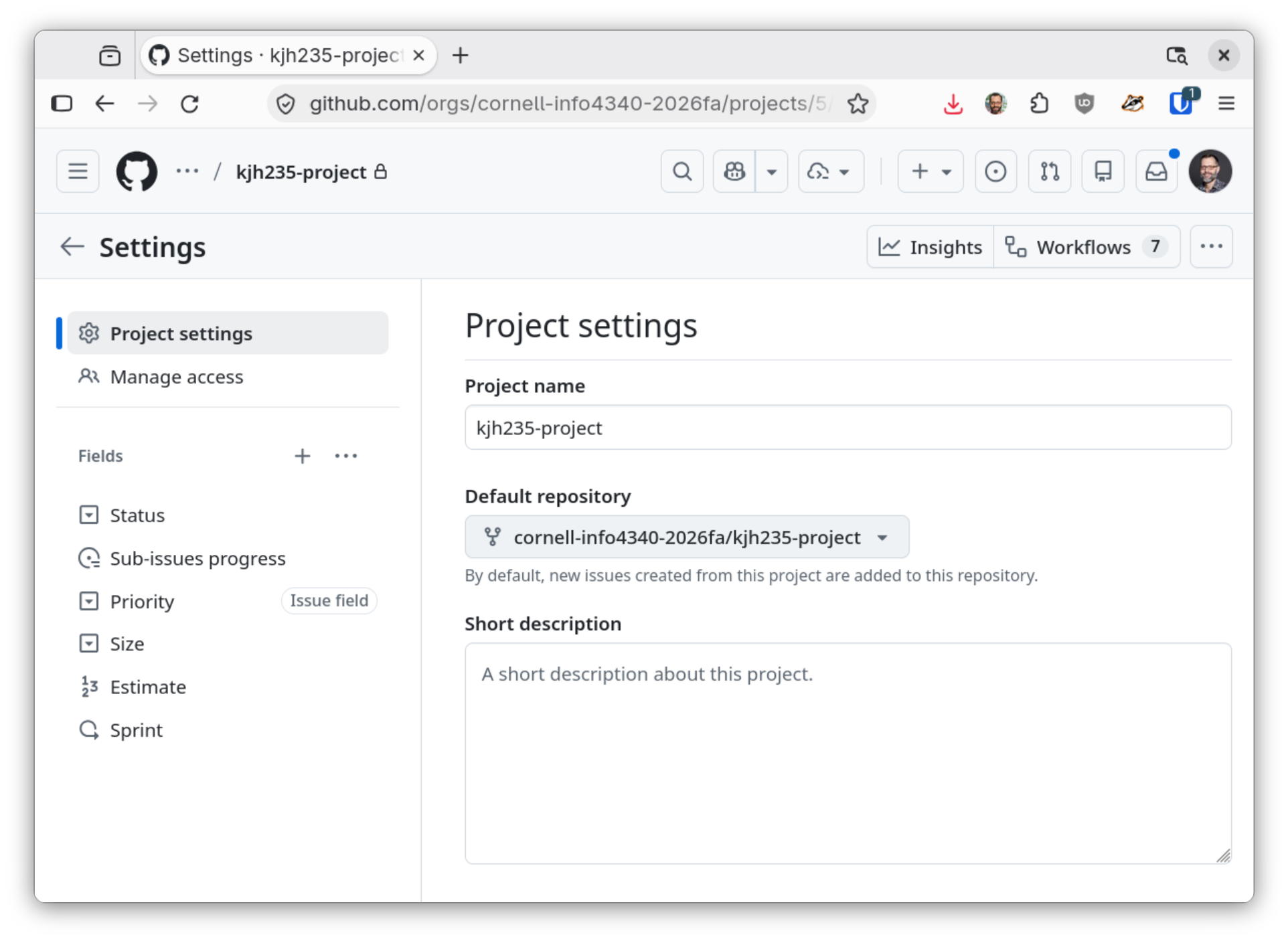
Activity: Default Repository
GitHub Projects will automatically create, close, and manage issues for a repository. Set the default repository to your project repository.
GitHub Projects: Product Backlog (Backlog View)
Source: Microsoft
Activity: Product Backlog (Backlog View)
Create issues (tasks) for your backlog that need to be completed during at least one project sprint.
Include all tasks, including cool features you want to add, but also the basic features that you need to have for your app to work.
Examples: You will need an icon for your app. You will need to implement a PWA. You will need to publish the PWA.
Working together as a team, have each team member create an issue in the backlog.
Review: High-Fidelity Prototyping Risks
- Cost: High-fidelity prototypes can be costly. Only do as much as is necessary to test the design hypothesis.
- Uncertainty: Is it possible to implement the functionality of the design?
- Design Lock-in: Once a design is coded, it can be difficult to change (socially and technically).
- Sunk Cost Fallacy: Just because a lot of time and effort has been invested in a design does not mean you should continue with that design.
- Scope Creep: Adding new features or requirements that are not part of the original plan can lead to delays and increased complexity.
- ...
Review: Coding the UI Design Too Early
Common mistake: Many teams code the user interface first (not the functionality), before evaluating whether it was possible to implement the design's functionality.
This often leads to design lock-in, because the team has invested a lot of time and effort into the design, and it can be emotionally difficult to change the design (sunk cost fallacy).
Solution: Implement the greatest source of uncertainty first. This is often the functionality.
Activity: Backlog Prioritization
Working with your team, prioritize the items in your backlog.
Which items are the most important to complete first? Which items are less important and can be completed later?
Tip: Prioritize based on the assumptions and risks. What are the riskiest assumptions? What are the most important features to test those assumptions?
Review: Sprint Planning
Scrum sprints are short, time-boxed periods (often a week or two, but less than a month) where teams focus on completing a set amount of work, enabling incremental delivery.
Source: Atlassian
Planning:
- Identify a goal for the sprint.
- Identify the tasks that need to be completed to achieve the goal.
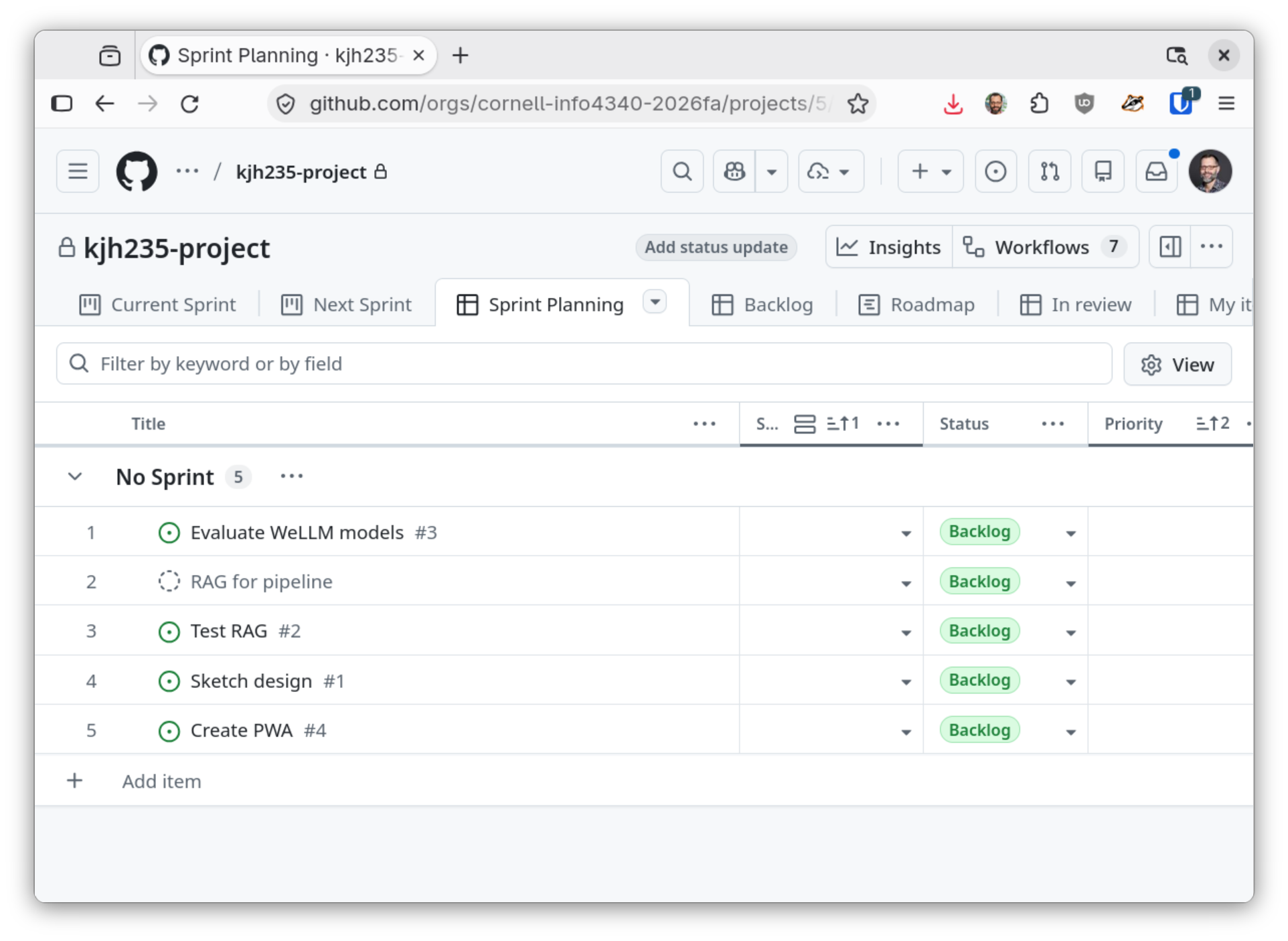
GitHub Projects: Sprint Planning
Source: Microsoft
Activity: Set the Sprint Dates
Update your sprint dates in GitHub Projects to reflect the following schedule:
- Week 10: Homework 5 + Project Preparation (Sprint 1 Starts 10/29)
- Week 11: Oral Exam II + Project, Sprint 1 Due
- Week 12: Project, Sprint 2 Due
- Week 13: Project, Sprint 3 Due
- Week 14: Project, Sprint 4 (Thanksgiving Break)
- Week 15: Project, Sprint 4 + Presentation Due
- Week 16 + Finals: Final Oral Exam
Sprints are due on Thursdays.
Project, Sprint 1
Goal: Feasibility (+ effective teamwork)
In the first sprint you will deliver:
- A team contract
- A complete description/proposal of your app
- A demonstration of the feasibility of your app's core idea
(no user interface required; UI discouraged)
You will need to:
- Brainstorm ideas for the app
- Quickly prototype the feasibility of the best ideas
- Evaluate the feasibility of the ideas and select the best one
Activity: Sprint Planning
As a team, create an issue in the backlog for the team contract, the project description/proposal, and the feasibility demonstration.
Assign the issues to Sprint 1.
Gotcha: Sprint Planning is a Commitment
Your team commits to completing the tasks in the sprint.
Caution: You cannot change your sprint plan after it is set. (For full credit, you must complete all the tasks in the sprint.)
Note: You can add new issues to the backlog, but you cannot change the issues in the current sprint after it's set.
Review: Team Contracts
- What are our goals?
- What are our ground rules?
- How will we communicate with each other?
- How will we communicate and work with others?
- What roles do we want, and what are the responsibilities?
- How will we hold ourselves accountable?
- How will we deal with conflict?
- ...
Notice: Effective Teamwork
Effective teamwork is a learning objective for this course.
A portion of your project grade will be based on your ability to work effectively with your team.
Every class till the end of the semester is a team meeting.
You are expected to arrive to team meetings on time and participate.
Studio: Project, Sprint 1
Goal: Feasibility (+ effective teamwork)
In the first sprint you will deliver:
- A team contract
- A complete description/proposal of your app
- A demonstration of the feasibility of your app's core idea
(no user interface required; UI discouraged)
You will need to:
- Brainstorm ideas for the app
- Quickly prototype the feasibility of the best ideas
- Evaluate the feasibility of the ideas and select the best one
What's Next?
Sunday: Schedule Oral Exam II.
Monday: Oral Exam II Begins
Tuesday: Project, Sprint 1: Instructor Check-in, Sprint 1 Plan Due
Thursday: Project, Sprint 1 Due, Project, Sprint 2 Assigned
Friday: Oral Exam II Ends