Class 4: Event Handling & Conditional Rendering
Agenda
- Review: Last Class
- Event Handling
- Conditional Rendering
- Studio: Homework 2
Review: Last Class
Review: Vue.js Components
App.vue:
<script setup>
import ButtonCounter from './ButtonCounter.vue'
</script>

<template>
  <h1>Button Counter</h1>
  <ButtonCounter />
</template>
ButtonCounter.vue:
<script setup>
import { ref } from 'vue'
const count = ref(0)
</script>

<template>
  <button @click="count++">{{ count }}</button>
</template>

<style scoped>
button {
  font-size: 1.5em;
  padding: 0.5em 1em;
}
</style>
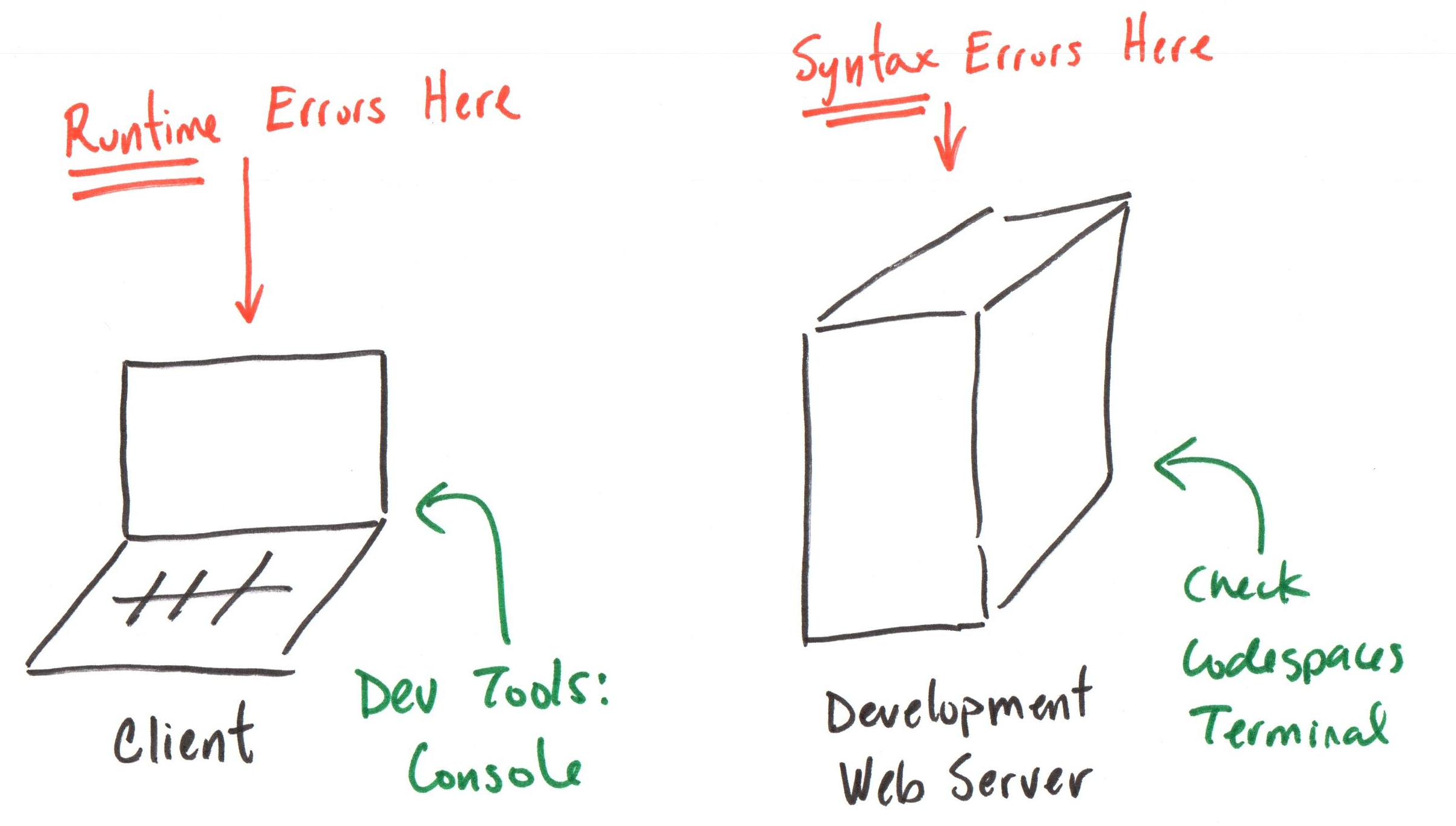
Review: Troubleshooting
Review: Minimum Working Example
A minimum working example is the smallest amount of code that demonstrates a concept or problem.
Examples:
- A Vue.js component
- Event handling
- Conditional Rendering
Homework 2: Parts I && II
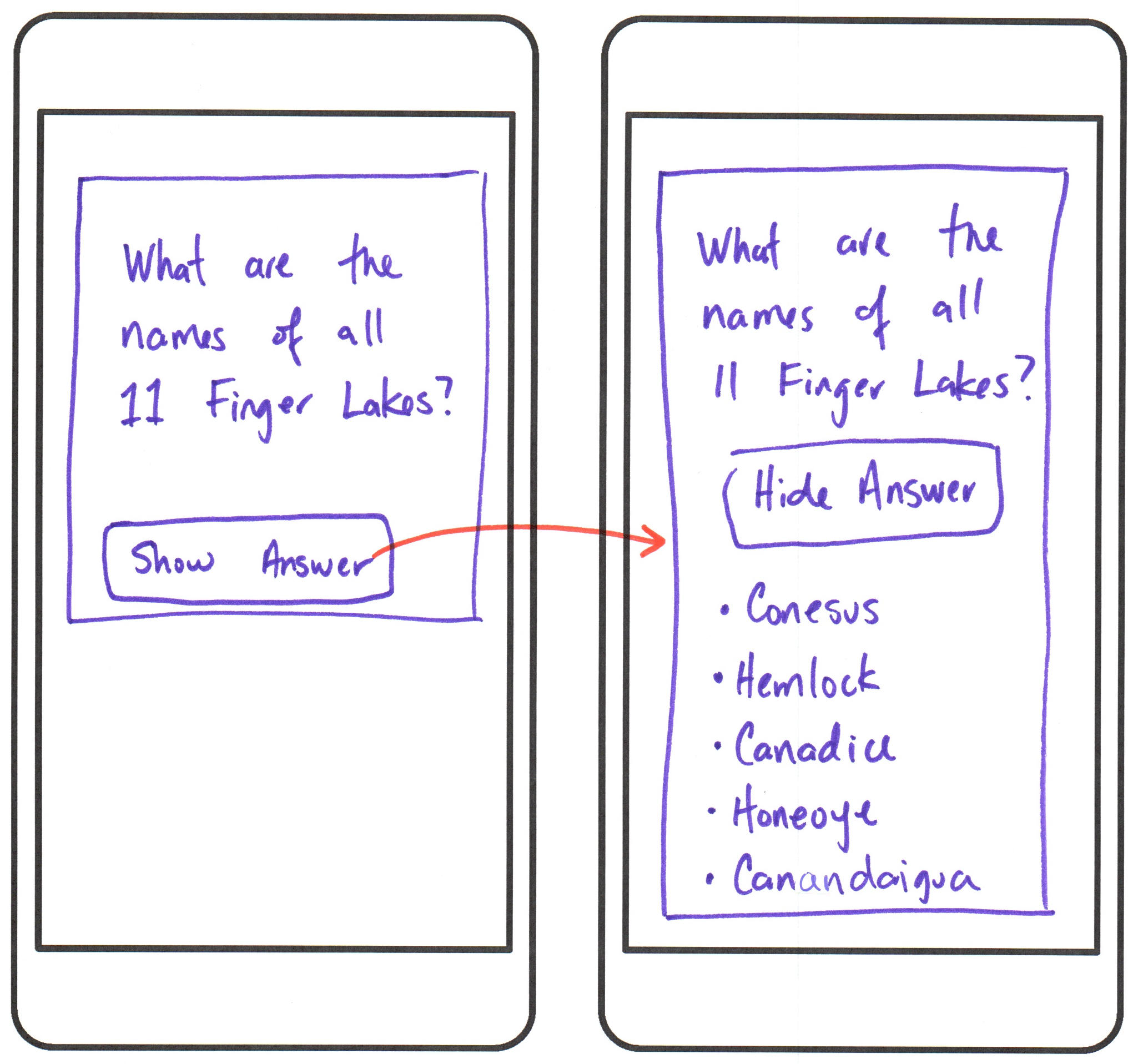
Discussion: Homework 2 - Parts I && II
- How did using Vue.js events and conditional rendering go for you?
- What challenges did you face?
- Anything we should go over in class in more detail?
Vue.js: Event Handling
The v-on directive listens for DOM events and runs JavaScript code when they're triggered.
<script setup>
import { ref } from 'vue'
const count = ref(0)

function incrementCount() {
  count.value++
}
</script>
<template>
  <button v-on:click="incrementCount">
    {{ count }}
  </button>
</template>
Event Handling - Shorthand
The v-on directive has a shorthand: @.
<script setup>
import { ref } from 'vue'
const count = ref(0)

function incrementCount() {
  count.value++
}
</script>
<template>
  <button @click="incrementCount">
    {{ count }}
  </button>
</template>
DOM Events
Any event that occurs in the DOM can be listened for using Vue.js event handling.
v-on:click/@click- Mouse clickv-on:mouseover/@mouseover- Mouse hoverv-on:keyup/@keyup- Key pressv-on:input/@input- Input value changev-on:change/@change- Input value change
Reference Documentation: https://developer.mozilla.org/en-US/docs/Web/API/Document_Object_Model/Events
Event Handlers
In response to a DOM event, Vue.js can run a snippet of JavaScript code or call a function handler.
Inline Code
v-on:click="count++"
Conditional Rendering
Vue.js Conditional Rendering Directives
The v-if, v-else-if, v-else, and v-show directives conditionally render elements based on JavaScript expressions.
<script setup>
import { ref } from 'vue'
const isVisible = ref(true)
</script>

<template>
  <div v-if="isVisible">
    This element is visible.
  </div>
</template>
Conditional Rendering Expressions
Any valid JavaScript expression that evaluates to a boolean value can be used with Vue.js conditional rendering directives.
<script setup>
import { ref } from 'vue'
const count = ref(0)
</script>
<template>
  <div v-if="count > 0">
    The count is positive.
  </div>
</template>
v-if vs. v-show
v-ifadds or removes elements from the DOM based on a condition.v-showtoggles the CSSdisplayproperty of an element based on a condition.
<div v-if="isVisible">...</div>
<div v-show="isVisible">...</div>
Activity: Event Handling & Conditional Rendering
Working with your peers (2-4), complete the handout.
Homework 2: Parts III, IV, && V
Props
Custom attributes that allow data to be passed from a parent component to a child component.
Behave like HTML attributes. However, the data is JavaScript data types.
Think: HTML attributes
Slots
Placeholders inside a child component that allow HTML content to be passed from a parent component to a child component.
Behave like HTML elements. The data is any valid HTML content.
Think: HTML child elements
Studio: Homework 2
Working with your peers (2-4), complete Parts III, IV, and V of Homework 2.
Tip: Use GitHub Copilot to Understand Errors
- Copy the error message from your Codespace's Debug Console or your browser's DevTools Console.
- Paste the error message into the GitHub Copilot chat window.
Help me understand this error message: [PASTE ERROR MESSAGE HERE]
Summary
- Vue.js event handling with
v-on/@ - Vue.js conditional rendering with
v-if,v-else-if,v-else, andv-show - Vue.js props for passing data from parent to child components
- Vue.js slots for passing HTML content from parent to child components
Homework: Complete Homework 2