Class 8: Installable Prototype App
- Review: Last Class
- Prototyping Functionality
- Libraries / Packages
- Source Code Inspection
- Installable Prototype App
- Summary
Review: Last Class
Review: v-model Directive
The v-model directive creates a two-way binding between a form input element and a data property in your Vue.js component.
<script setup>
import { ref } from 'vue'
const message = ref('hello')
</script>

<template>
  <p>Message is: {{ message }}</p>
  <input v-model="message" />
</template>
Review: Attribute Bindings (v-bind)
Use the v-bind directive (: shorthand) to bind HTML attributes to data properties in your Vue.js component.
<script setup>
import { ref } from 'vue'
const isDisabled = ref(true)
</script>

<template>
  <button :disabled="isDisabled">Submit</button>
</template>
Review: Custom Events
Declare custom events and emit them from child components to allow parent components to listen for and respond to specific actions or changes.
Counter.vue
<script setup>
import { ref } from 'vue'
defineEmits(['countIncremented'])

const count = ref(0)
function incrementCount() {
  count.value++
  emit('countIncremented', count.value)
}
</script>
App.vue
<script setup>
function handleCountIncremented(newCount) {
  console.log(
    'Count incremented to:',
    newCount)
}
</script>

<template>
  <Counter
    @countIncremented="handleCountIncremented" />
</template>
Libraries / Packages
Prototyping Functionality
When prototyping, you may need to implement functionality that is complex or time-consuming to implement on your own.
Common methods:
- Generative AI (i.e. GitHub Copilot)
- Programming libraries / packages
- Online code snippets (e.g. StackOverflow)
- Tutorials (e.g. YouTube, blogs, etc.)
- Write it yourself from scratch
Prototyping Functionality Pros & Cons
| Method | Pros | Cons |
|---|---|---|
| Generative AI | Fast and works for a wide variety of tasks. | Accuracy is suspect. It may take longer to validate the code is correct. |
| Programming Libraries / Packages | Often saves time and effort for common tasks. | Generally, popular libraries are often accurate. |
| Online Code Snippets, Tutorials | Solution may solve your exact problem. | May be time-consuming to get it working with your problem. |
| Write it yourself from scratch | You have full control over the code. | Time-consuming. |
Activity: GenAI Contrast Calculation
-
Stage, commit, and push your work in your Homework 3 repository.
-
Remove the
ColorContrastLibraryfrom yourContrastRatiocomponent. -
Ask GitHub Copilot to write a function that calculates the contrast ratio between two colors. (You can ask it to write the function in JavaScript or TypeScript.)
-
Verify that the function is correct.
Libraries / Packages
Programming Library / Package
A programming library (or package) is a collection of pre-written code that provides specific functionality or features that can be integrated into your own projects.
Libraries / packages are designed to save developers time and effort by providing reusable code for common tasks.
Prototyping with Libraries / Packages
When prototyping, you can use libraries / packages to quickly add functionality to your prototype without having to write the code from scratch.
Generally, use popular libraries / packages that are well-maintained and have good documentation to ensure that the code is accurate and reliable.
If a library / package is not available, use generative AI to write the code for you, and then validate that the code is correct.
Tip: Poor Library / Package Documentation
When using a library / package, you may encounter poor documentation that makes it difficult to understand how to use the library / package effectively.
In these cases, inspect the source code of the library / package to understand how it works and how to use it in your project.
Demo: Source Code
Repository / Source Code for: color-contrast-checker
Activity: Inspecting Source Code
Working with your peers (2-4), complete the handout.
- Inspect the source code for: https://www.npmjs.com/package/color-contrast-checker
- Answer the questions in the handout.
Installable Prototype App
Progressive Web App
A Progressive Web App (PWA) is a type of web application that is installable on a user's device and can work offline or with a poor network connection.
PWA requirements:
- A manifest (provides metadata about the app)
- A service worker (enables offline functionality)
- HTTPS (for security)
Activity: Installable Prototype App
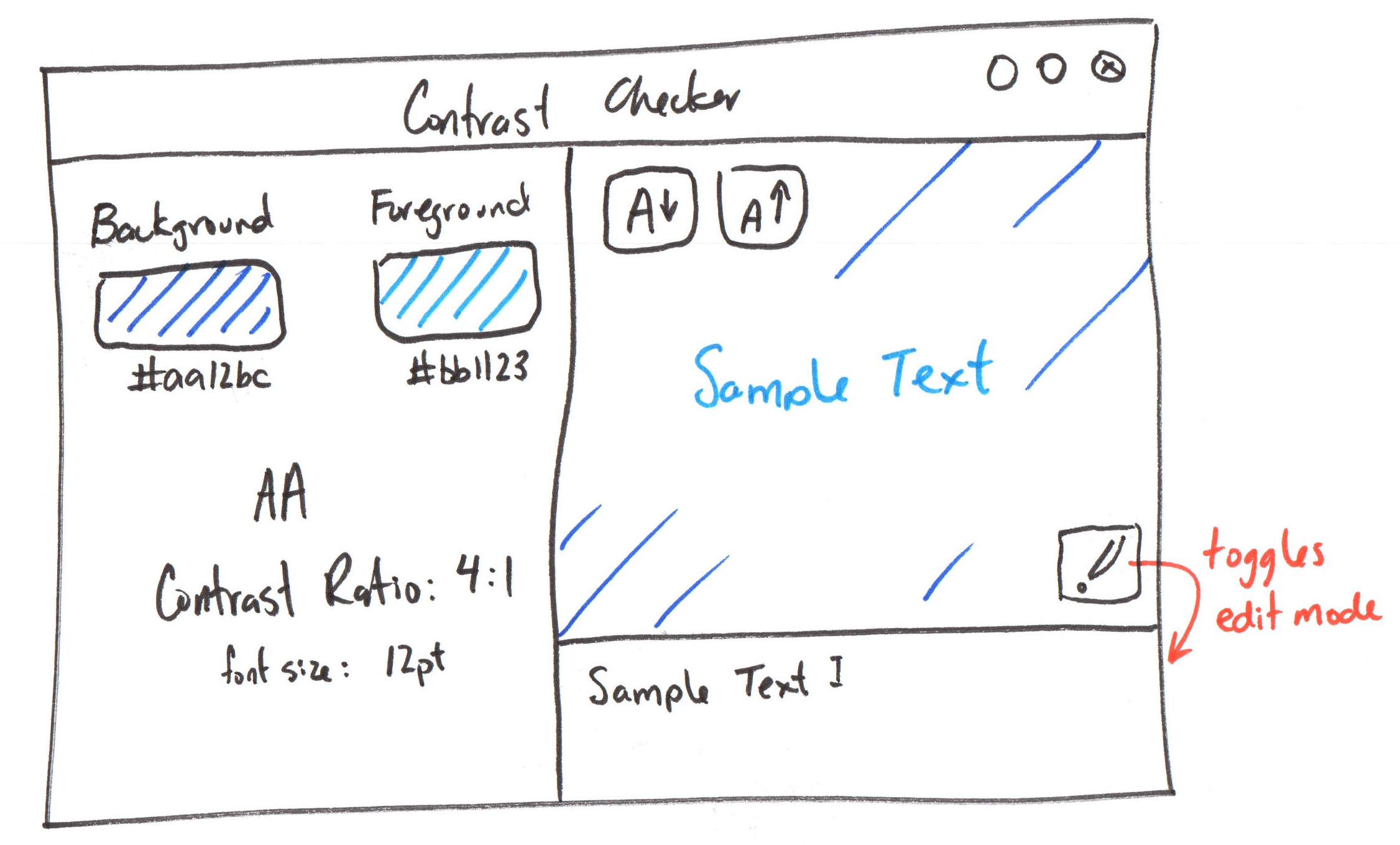
Together, let's create a PWA from your Homework 3 prototype app.
Studio: Homework 3
Tips: Unable to Install PWA
First try: Hard refresh in your browser
Codespace:
- Stop your dev server
npm installagain
GitHub Pages:
npm run buildandnpm run publish-pwa(Ctrl + Shift + Ron Windows,Cmd + Shift + Ron Mac)- In
github.comPages setting for repo, set Branch to none. Save. Then set togh-pages. Save.
Discussion: Homework 3 Deadline
Summary
- Prototype functionality using libraries / packages or generative AI.
- Avoid writing functionality from scratch when prototyping.
- Inspect source code of libraries / packages when documentation is poor.
- Progressive Web Apps (PWAs) are installable web applications that can work offline.
- To create a PWA, you need to include a manifest, a service worker, and serve the app over HTTPS.
What's Next?
Next Class: Rendering Components with Complex Data (Arrays)
Homework: Homework 3 (No class preparation)