Class 12: LLM User Supported Task Prototype
- Review: Last Class
- Homework 5 Studio
Review: Last Class
Review: General LLM Prototype Advice
- Start with a clear idea of the user task or interaction you want to prototype.
- Start small and gradually increase complexity as needed (smaller models, shorter prompts, etc.)
- Select a model that is appropriate for the task and your resource constraints.
- Design a system prompt that provides clear instructions to the model while keeping it concise.
- Try to minimize the interactions with the LLM. (Only what's necessary.)
- Test your prototype with real users to gather feedback and iterate on the design.
Homework 5 Studio
Homework 5
- Design and implement an app prototype that uses an LLM to support a user with a task.
- Plan the components needed to implement the design.
- Rapidly prototype your app using coding assistants (e.g. GitHub Copilot).
- Publish the prototype app.
Homework 5: Example Scope
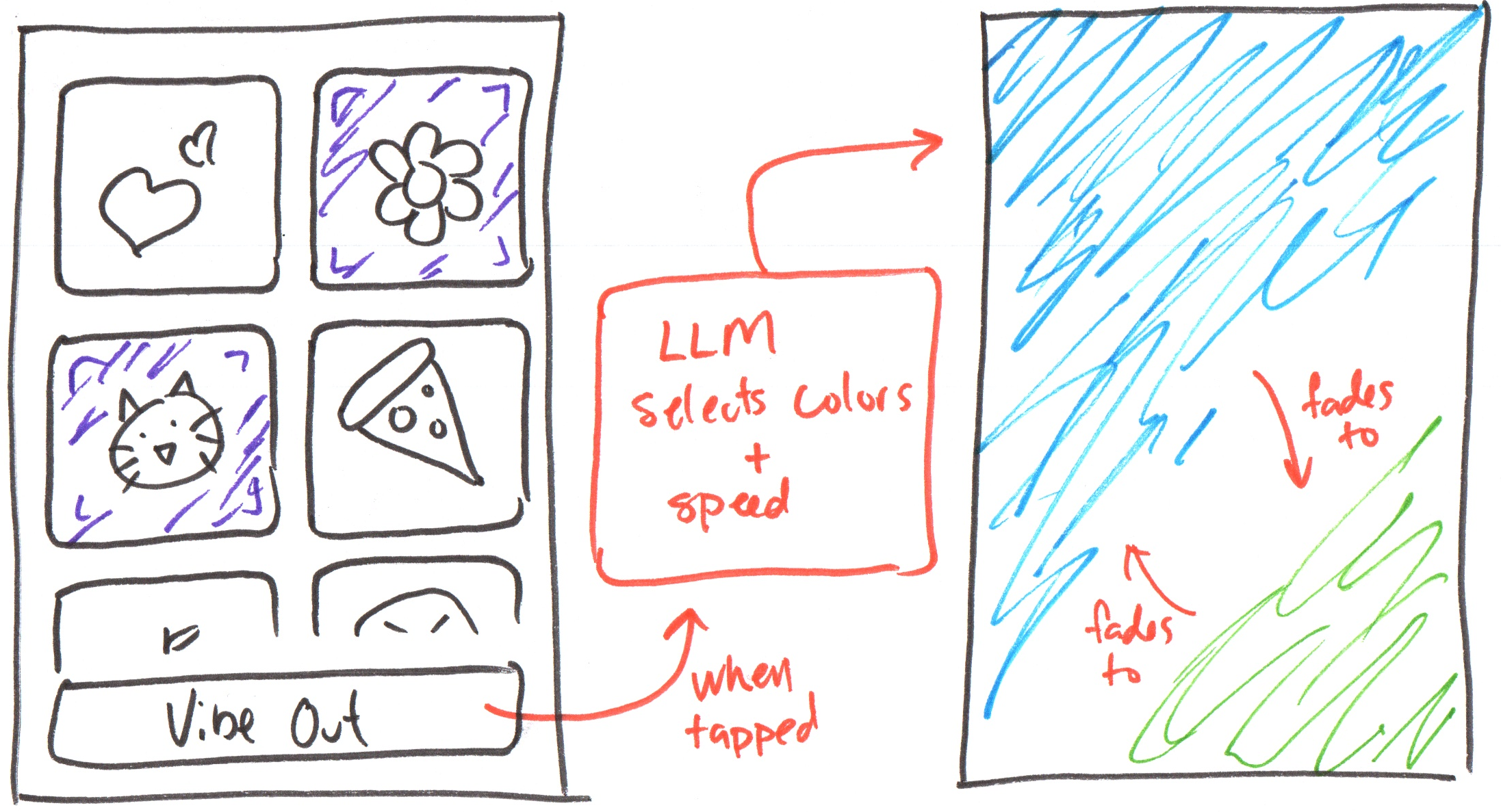
Activity: Homework 5 Partner Design
Pair up in groups of 2.
For the next 10 minutes, share your homework 5 app idea and sketch out some prototype ideas with your partner(s).
Swap and let your partner(s) share their homework 5 app idea and sketch out some prototype ideas with you.
Activity: Homework 5 Design
Incorporate the best ideas from the partner design session into your final design.
Draw your final design on your handout.
Homework 5: Component Planning
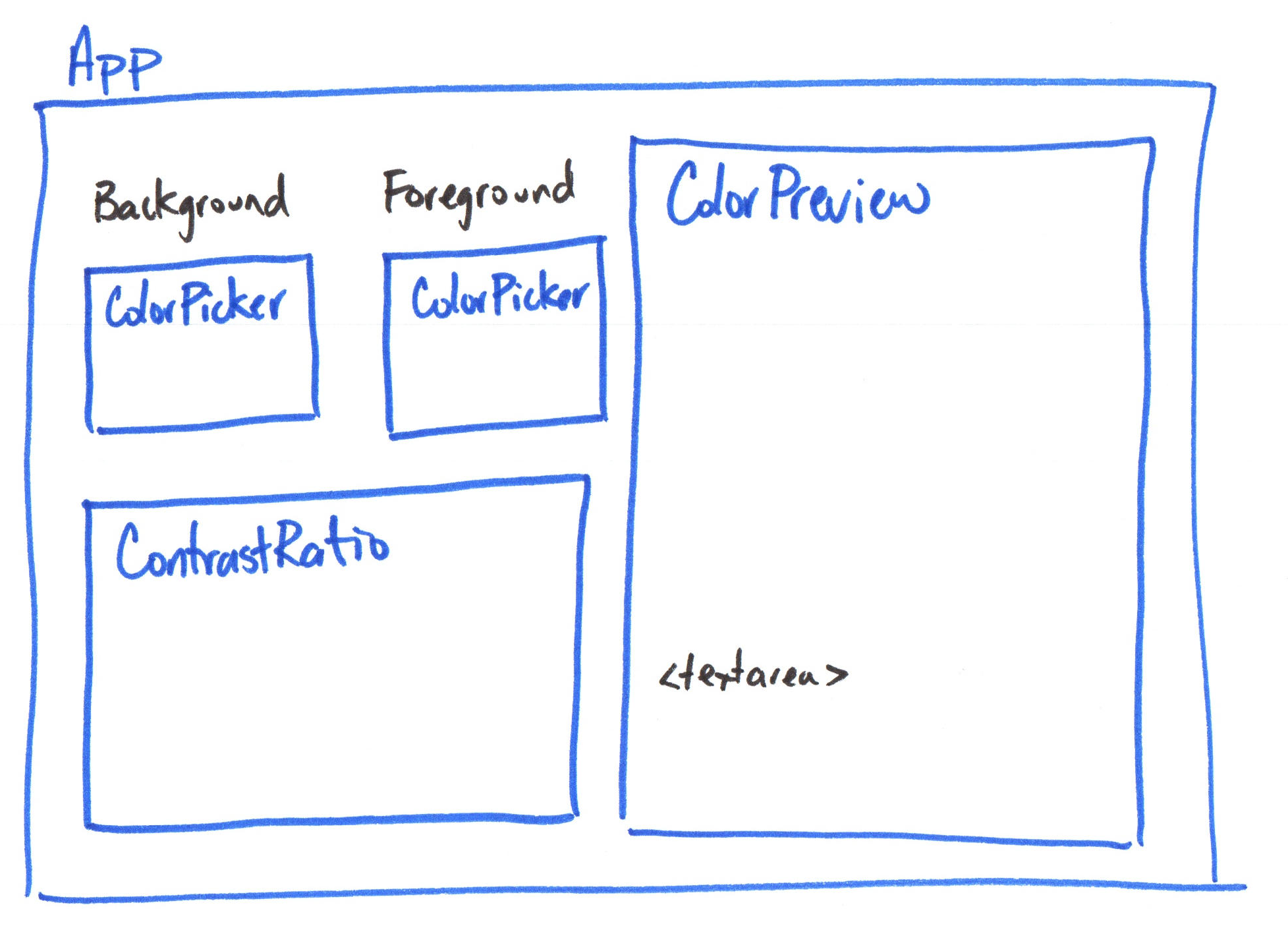
Activity: Homework 5 Component Planning
Plan out your components for your homework 5 prototype on the back of your handout.
Pair-Programming with a Coding Agent
Primary Learning Objective: Use GitHub Copilot to assist you with the implementation of your prototype app.
You should direct the agent, not let it make the decisions for you.
This is the difference between novice and expert use of LLM coding agents.
Discussion: Who's Making the Decisions?
It makes the decisions: Make an app that has button with emojis on the main screen that when clicked, generates a colorful animation that is representative of the selected emojis.
You make the decisions: Create a component for a button that accepts an emoji as a prop and displays the emoji on the button.
Next, style the button to use a transparent background and small rounded corners using TailwindCSS.
Homework 5 Studio
What's Next?
Thursday: Homework 5 Studio
Thursday: Homework 5 due